Geautomatiseerde back-ups
A server crash is survivable.
Losing your data is not.
Most teams think about backups after something goes wrong. Automated Backups run on your schedule, store exactly where you want, and retain as long as you need — with zero manual effort.
The Problem
Manual backups are a promise that gets broken.
Someone forgets. Someone skips a week. A server dies on a Thursday morning and the last backup was Monday. Automated Backups remove the human from the loop — backups run on a schedule whether your team remembers or not.
Hoe het werkt
Configure once. Runs forever.
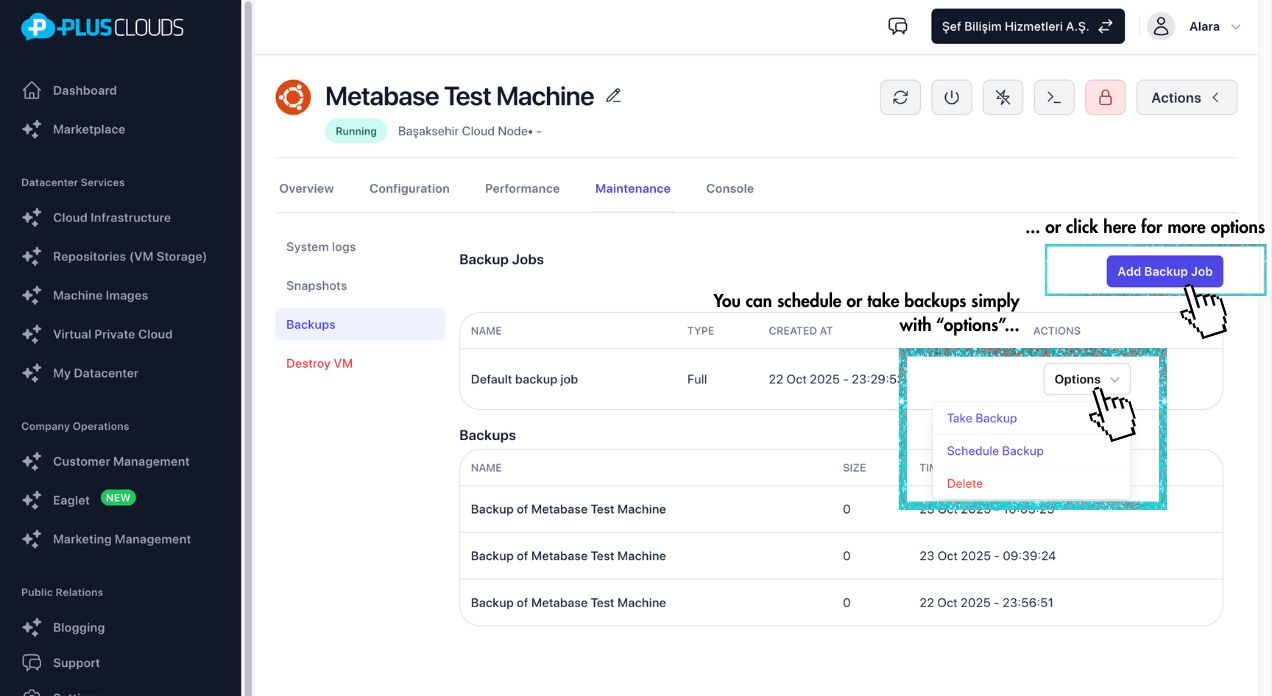
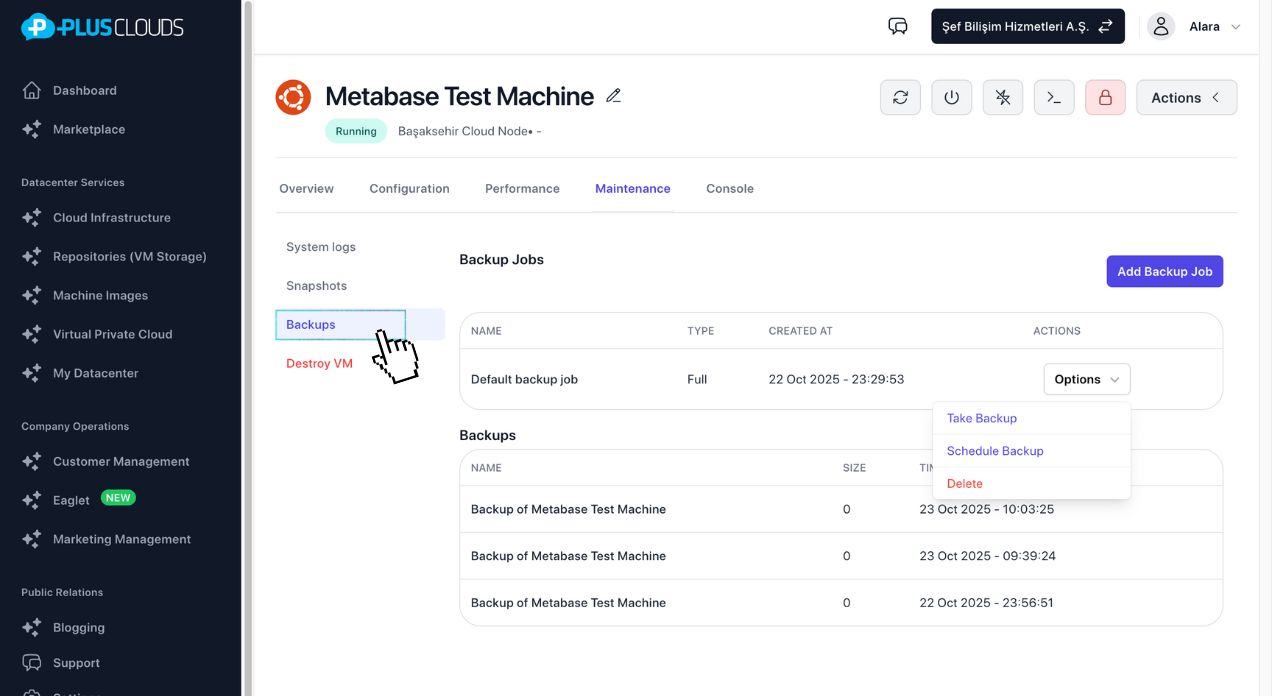
1. Define backup jobs
Choose source, destination, and method. "Backup to İzmir", "Backup to İstanbul", "Backup to Turkcell" — name it, configure it, forget it.
2. Set retention rules
Keep the last 30 versions. Keep everything from the past 365 days. Or both. Retention rules prevent runaway storage costs automatically.
3. Schedule or trigger
Run daily at 3 AM, every 6 hours, or on-demand with one click. Task Scheduler handles timing — no cron jobs to manage.
Wat je krijgt
Data protection that actually runs.
Zero forgotten backups
Scheduled jobs run automatically. No reminders, no manual triggers, no one-off scripts.
Multiple destinations
Back up to different datacenters simultaneously. İzmir goes down? İstanbul has your data.
Retention you control
Keep 30 versions, 365 days, or custom rules per job. Storage stays predictable.
Restore in minutes
Point-in-time recovery from any backup version. Works hand-in-hand with Remote Restore.
Set up your first automated backup in 2 minutes.
No credit card required. Configure jobs and schedules in one dashboard.
Common questions
Heb je nog vragen?
Voor aankopen en gedetailleerde informatie, plan een vergadering — of neem direct contact met ons op:
Begin gratis
Implementeer uw eerste cloudserver in enkele minuten. Geen creditcard vereist om te verkennen.