Your pager goes off at 2:14 AM. Files on the production file server have a new extension. A README.txt sits in every directory demanding payment in crypto. Your cloud VMs are still running, which somehow makes it worse, because now you don't know what's safe to touch and what will spread the encryption further if you log in.
Ransomware against cloud infrastructure is not a hypothetical anymore. Cloud intrusions surged 37% in 2025, and roughly 80% of organizations reported at least one cloud security incident in the past twelve months, according to aggregated industry data (StationX). The modern pattern is nastier than the old "encrypt the file server" playbook: attackers now go after your backups first, then your identity layer, then your workloads.
Key takeaways
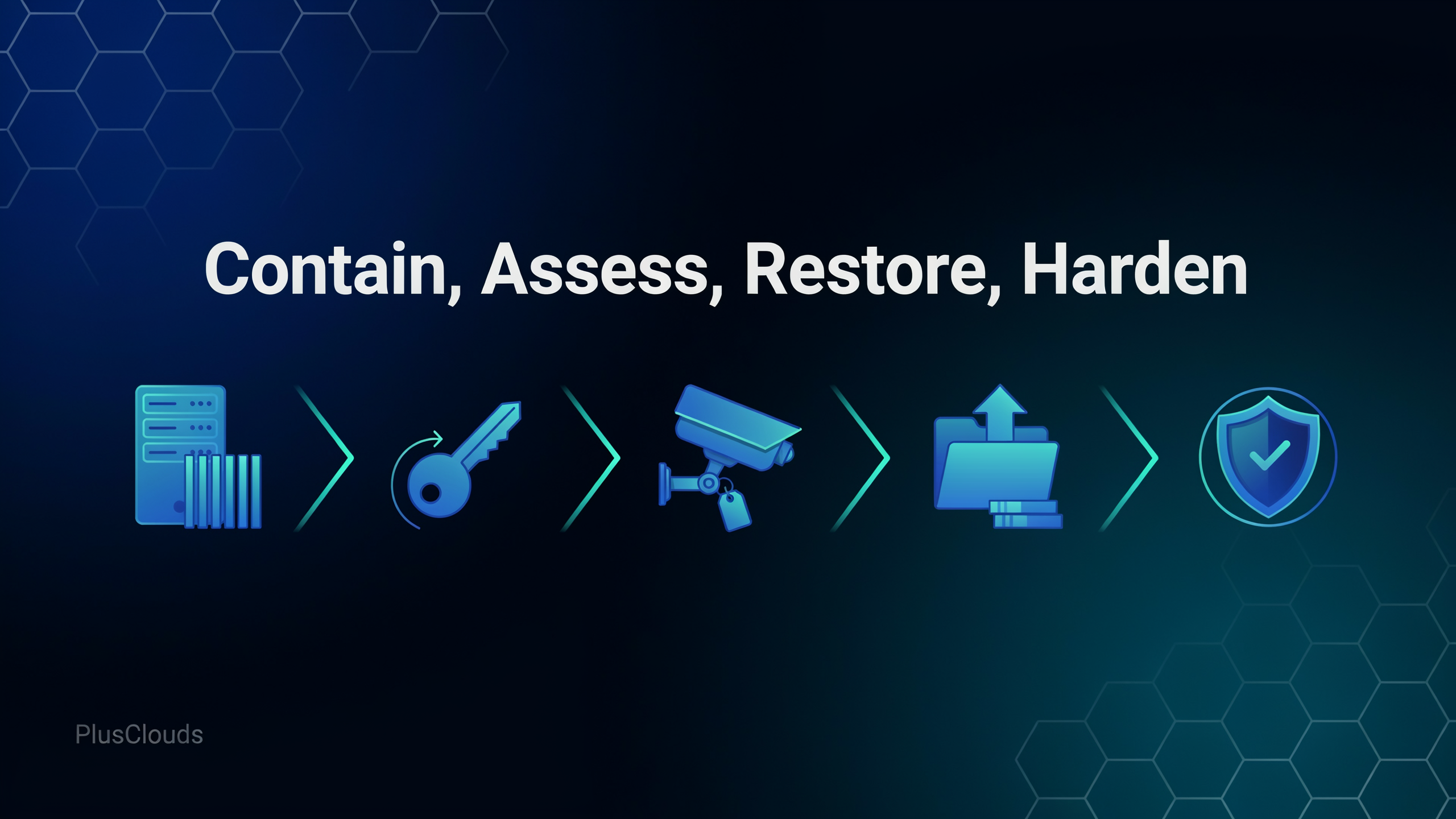
- Cloud ransomware recovery follows a fixed sequence: contain, assess, decide on a recovery path, restore, and harden.
- Never restore into a compromised environment; attackers target backups first, so isolate and rotate credentials before touching recovery.
- Immutable backups, separate credentials, and the 3-2-1-1 backup rule are what make a clean restore possible.
- RPO and RTO targets, enforced through automated cloud backups, determine whether an incident is a bad afternoon or an existential event.
The good news is that recovery from cloud ransomware is largely a solved problem, if you have a plan written before the incident. This playbook walks through the sequence: contain, assess, decide on a recovery path, restore, and harden. Bookmark it now. Reading it for the first time at 2 AM is the wrong time.
Table of Contents
- What Ransomware Looks Like in a Cloud Infrastructure Context
- The First 60 Minutes: Containment Before Recovery
- How Attackers Target Cloud Backups First, and How to Stop Them
- Assessing the Blast Radius: What Is and Isn't Compromised
- Clean Restore vs. Full Rebuild: Choosing the Right Recovery Path
- How RPO and RTO Targets Determine Your Recovery Speed
- Building an Immutable Backup Architecture on Cloud Infrastructure
- Post-Incident: Hardening Your Environment So It Doesn't Happen Again
- The Takeaway: Recovery Is an Architecture Decision, Not an Emergency Response
What Ransomware Looks Like in a Cloud Infrastructure Context
On-premises ransomware usually announces itself with encrypted files. In the cloud, the first sign is often something subtler, because attackers spend days or weeks inside your environment before pulling the trigger.
Common early indicators on cloud VMs and dedicated servers include:
- Anomalous API activity: mass snapshots, unusual storage API calls, or IAM changes you didn't make
- New admin accounts or access keys created outside your change process
- Backup jobs silently failing or being deleted, often weeks before encryption starts
- Spikes in outbound traffic as attackers exfiltrate data before encryption (double extortion: pay to decrypt, pay to not publish)
- Files with new extensions or ransom notes appearing on shared mounts
The critical shift in recent years is that ransomware operators treat your backups as the primary target. If they can delete or encrypt your backups, your only options become paying or rebuilding from scratch. Analysis of 2026 backup trends shows attackers increasingly use stolen admin credentials to purge retention policies and snapshot histories before detonating the payload (NovaBackup). That's why this playbook spends as much time on backup protection as on restoration.
The First 60 Minutes: Containment Before Recovery
Your instinct will be to restore immediately. Resist it. Restoring into a compromised environment just re-encrypts your fresh data. Containment comes first.
Step 1: Isolate, don't destroy
Disconnect affected instances from production networks but do not terminate or wipe them yet. Those VMs are forensic evidence. You'll need them to understand the entry vector, and your cyber insurance carrier will likely require it. If your infrastructure is on a platform with multiple network types (public, private, management, DMZ), move affected workloads to an isolated segment or apply firewall rules that cut them off from everything else.
Step 2: Protect what's left
Assume the attacker still has valid credentials. Immediately:
- Rotate every privileged credential, API key, and SSH key
- Revoke active sessions and tokens
- Enable MFA everywhere it isn't already enforced
- Lock down backup console access with separate, uncompromised credentials
This last point matters more than most teams realize. If your backup platform shares credentials with your production environment, the attacker can reach it. Your backups need their own identity boundary.
Step 3: Preserve evidence
Snapshot the affected VMs (to storage the attacker can't reach), export firewall and access logs, and note timestamps. You'll need this for the post-incident review, for legal, and possibly for law enforcement.
How Attackers Target Cloud Backups First, and How to Stop Them
Here's the uncomfortable truth: most backup systems are designed for availability, not adversarial resistance. They use the same control plane, the same credentials, and often the same network as production. An attacker with domain admin or cloud admin rights can typically delete your backups in minutes.
The defense is immutability and separation:
- Immutable backups (object lock / write-once-read-many) prevent deletion or modification for a defined retention window, even by admins
- Separate credentials for backup infrastructure, ideally not in the same identity provider as production
- Logical or physical air-gapping, so backup storage isn't reachable from compromised production networks
- Retention policies that can't be shortened without an out-of-band approval process
If you're building this architecture from scratch, the 3-2-1-1 backup rule is the reference framework: three copies, two media types, one offsite, one immutable or offline. We'll come back to the implementation details later in this article.
Assessing the Blast Radius: What Is and Isn't Compromised
Before you restore anything, you need a map of the damage. Attackers rarely compromise everything at once; they move laterally from an initial foothold, and the pattern of that movement tells you what to distrust.
Work through this checklist:
- Identify patient zero. Which VM or service was first compromised, and when? Check authentication logs, unusual process execution, and outbound connections.
- Map lateral movement. Every system the attacker touched with stolen credentials must be treated as compromised, even if its files look fine.
- Determine the data exposure window. If data was exfiltrated before encryption, you have a breach notification obligation in most jurisdictions, independent of the ransomware itself.
- Classify workloads. Split everything into three buckets: confirmed compromised, possibly compromised, and verified clean. Only the third bucket keeps running during recovery.
A practical trick many teams skip: compare file integrity and configuration state against a known-good baseline. If you run infrastructure-as-code, redeploying from your Git repository is often faster and safer than trying to clean a live system, because the repository itself (outside the cloud environment) is unlikely to be compromised.
Clean Restore vs. Full Rebuild: Choosing the Right Recovery Path
Once you know the blast radius, you face the central decision of every ransomware recovery: restore infected systems from backup, or rebuild them clean and restore only the data?
| Factor | Clean Restore from Backup | Full Rebuild + Data Restore |
|---|---|---|
| Speed | Faster if backups are clean and recent | Slower, but more thorough |
| Risk of reinfection | Higher if compromise predates backup | Lowest, new OS from trusted images |
| Effort | Low, mostly automated | High, requires IaC or manual config |
| Best for | Isolated compromise, clean backups confirmed | Deep compromise, uncertain timeline |
The decision rule is simple: if you cannot prove a backup predates the initial compromise, don't restore from it. A backup taken after the attacker established persistence may contain their backdoors, and restoring it hands them the environment back.
In practice, most serious incidents end up as a hybrid: rebuild the infrastructure layer from clean images and IaC, restore application data from verified-clean backups, and validate everything in an isolated staging network before reconnecting to production.
This is also where your platform choice shows its value. On PlusClouds Cloud Servers, spinning up replacement VMs takes about 60 seconds with full root access, so rebuilding a compromised workload on fresh infrastructure is minutes of work, not days of procurement. That speed converts directly into a lower RTO.
How RPO and RTO Targets Determine Your Recovery Speed
Two numbers define whether a ransomware incident is a bad afternoon or an existential event:
- RPO (Recovery Point Objective): how much data you can afford to lose, measured in time. An RPO of 1 hour means your last restorable backup is at most an hour old.
- RTO (Recovery Time Objective): how quickly you must be back online after the incident.
Ransomware attacks are brutal tests of both. If your backups run nightly and the attacker detonates at 6 PM, you lose up to 23 hours of data. If your recovery process takes three days of manual work, your effective RTO is 72 hours regardless of what the spreadsheet says.
The gap between documented targets and reality is why backup automation matters. Manual backups drift, fail silently, and get skipped during busy weeks, exactly when attackers strike. An automated backup setup with explicit RPO/RTO targets and SLA tracking turns your recovery plan from a document into an enforced system: schedules run on time, retention is applied consistently, and remote restore is tested rather than assumed.
A few concrete calibration guidelines:
- Databases and transactional systems: RPO of 15 minutes to 1 hour via continuous or frequent snapshots
- Application servers: RPO of 4 to 24 hours is usually acceptable
- Static assets and configuration: backup on every change
- RTO: aim for under 4 hours on critical workloads, which is achievable when restore is automated and infrastructure can be redeployed from code
If you operate in a regulated sector, note that frameworks like DORA in the EU now require you to document and test these targets, not just declare them. We cover the specifics in our DORA Article 11 & 12 survival guide.
Building an Immutable Backup Architecture on Cloud Infrastructure
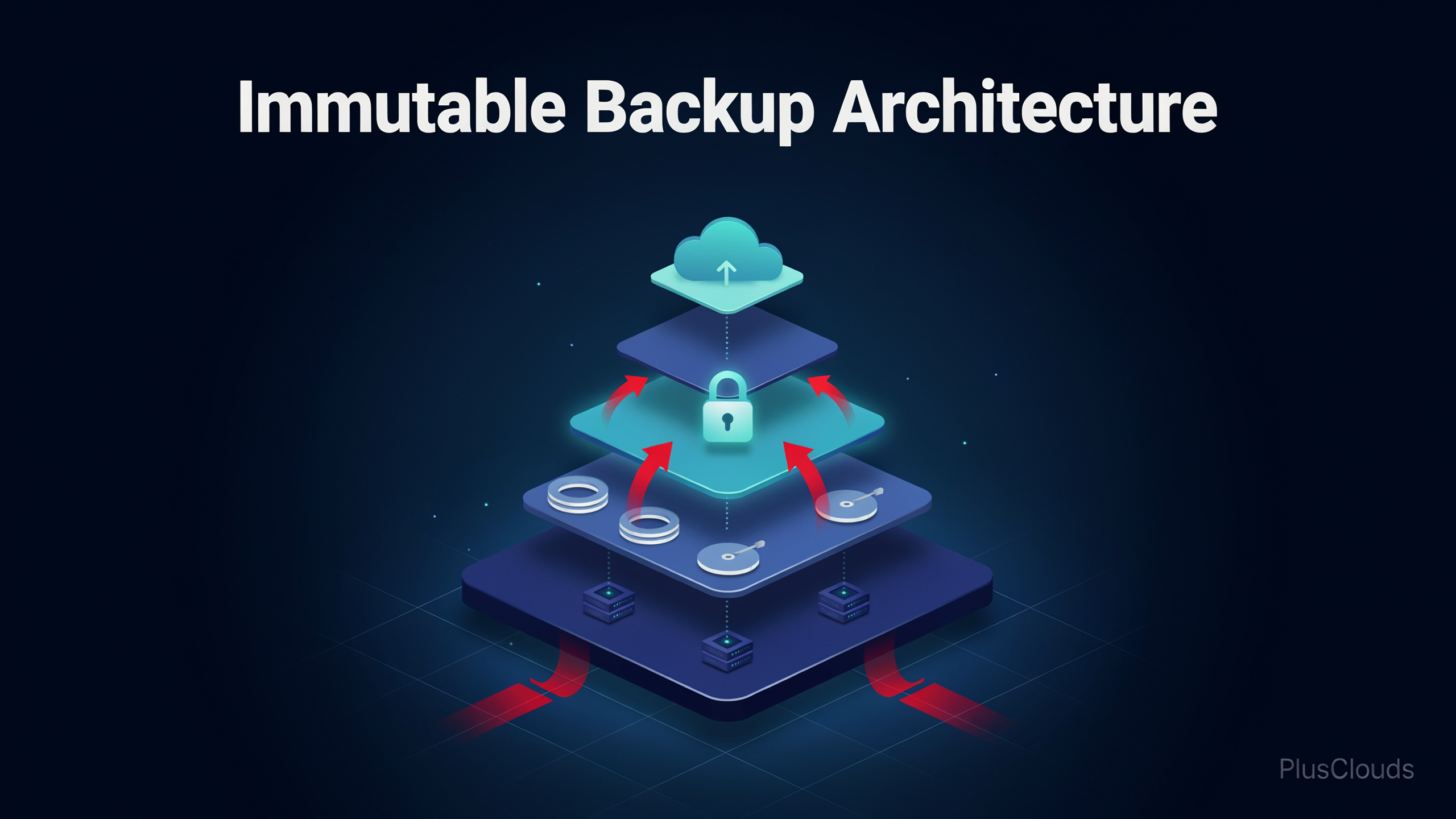
Here's the architecture that survives ransomware, layer by layer:
- Production layer: your VMs and services, protected by network segmentation and least-privilege access
- Snapshot layer: frequent automated snapshots with short retention, for fast recovery of accidental damage
- Backup layer: full backups on separate storage with medium retention, encrypted and access-controlled independently
- Immutable layer: locked backups that cannot be altered or deleted for the retention window, stored with credentials no production admin holds
- Offsite copy: at least one copy in a different location or account, so a compromise of one environment can't reach everything
The immutable layer is the one attackers can't beat, even with stolen admin credentials, because there is no API path to delete an object under legal hold or object lock until its retention expires. Guidance on ransomware recovery consistently identifies immutability as the single most effective backup-side control (Eon).
Two implementation details that get overlooked:
- Test restores on a schedule. An untested backup is a hope, not a control. Quarterly, restore a critical workload into an isolated environment and verify the application actually works.
- Separate the backup identity. Use dedicated credentials, ideally with MFA and no federation from your production identity provider, for backup administration.
If you're running this on your own hardware or a single-tenant environment, the isolation model matters too. Our comparison of multi-tenant cloud vs. single-tenant bare metal covers when dedicated isolation is worth the trade-off for security-sensitive workloads.
Post-Incident: Hardening Your Environment So It Doesn't Happen Again
Recovery is not the finish line. Attackers frequently re-target organizations within months, using the same initial access vector if it hasn't been closed. Your post-incident review should produce a concrete hardening backlog, and these items belong at the top:
- Close the entry vector. Whatever got them in (unpatched service, phished credentials, exposed management interface) gets fixed and verified, not just noted.
- Enforce least privilege and MFA. Over-privileged service accounts and admin users are how one compromised VM becomes a whole-environment compromise. Our zero trust hardening guide lays out a pragmatic sequence that doesn't require a six-figure security stack.
- Segment the network. Flat networks let ransomware spread freely. Separate management, production, and backup traffic, and put a stateful firewall between segments.
- Add a WAF and DDoS protection at the edge. Many intrusions start with exploitation of a public-facing application. A WAF covering the OWASP Top 10, backed by always-on DDoS mitigation, removes the easiest doors. PlusClouds Cloud Security bundles exactly this layer, with ISO 27001, SOC 2, and GDPR-aligned controls, so you can harden the perimeter without assembling it yourself.
- Run a tabletop exercise. Six months from now, walk the team through this playbook on paper. The first time you execute a recovery should never be during a real incident.
The Takeaway: Recovery Is an Architecture Decision, Not an Emergency Response
The organizations that survive ransomware cleanly are not the ones with the best incident responders. They're the ones whose backup architecture made recovery boring: immutable copies nobody could delete, automated restores that had been tested, and infrastructure that could be rebuilt from code in minutes.
If you're reading this before an incident, you're ahead. Start with the two highest-leverage moves: put immutable, automated backups with explicit RPO/RTO targets behind your critical workloads, and verify your backup credentials are isolated from production. PlusClouds' Automated Backup and Cloud Servers give you both pieces on infrastructure with a 99.98% uptime SLA, and the 3-2-1-1 architecture guide shows you how to wire them together.
The next ransomware note you want to see is the one in this article, not the one in your file server. Explore PlusClouds' backup and security infrastructure, and turn your recovery plan from a document into a system.