Axios Nedir?
En basit hali ile client side uygulamalarda HTTP işlemlerini kolay bir şekilde yapabilmemizi sağlayan bir JavaScript kütüphanesidir.
Axios Kurulumu
Npm, yarn ve CDN ile kurulumunu yapabiliriz.
Npm ile Kurulum
$ npm install axios
Yarn ile Kurulum
$ yarn add axios
CDN ile Kurulum
Axios.get() Metodu ile Ufak Bir Örnek
Axios’un get() Metodu ile Ufak bir API Örneği yapalım
import axios from 'axios' // axios'u yükledikten sonra kullanmak için import ediyoruz
export default {
data(){
    return{
        users:null, //users adlı içi boş bir değişken oluşturdum
    }},
  methods:{
    function (){
    axios.get('https://jsonplaceholder.typicode.com/users').then((response) => {
    // api'yi çektik ve arkasından yapılacak işlemler için then() metodunu kullandık
     this.users = response.data; // bize dönen response içerisinde ki data objesine ulaştık ve users adlı değişkene atadık
     console.log(this.users); // şimdi ise dönen sonuçları görmek için konsola yazdırdık
     })
  }
}
}
Konsol Çıktısı

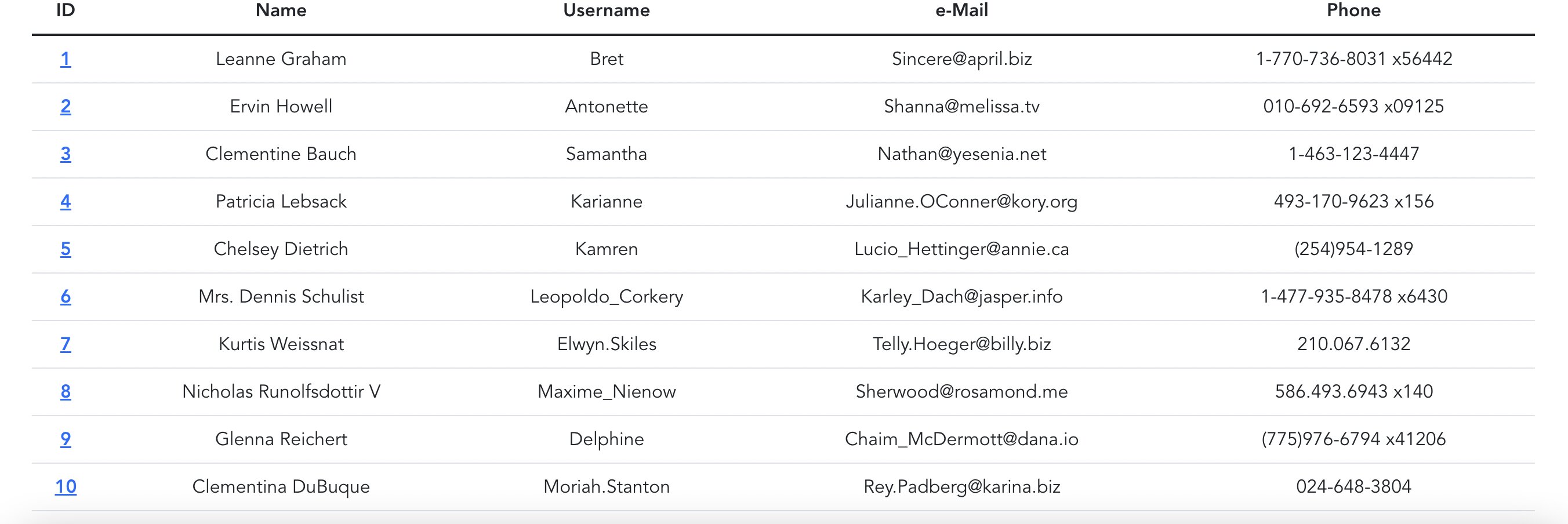
Örnekte ki Sonucu Görselleştirelim
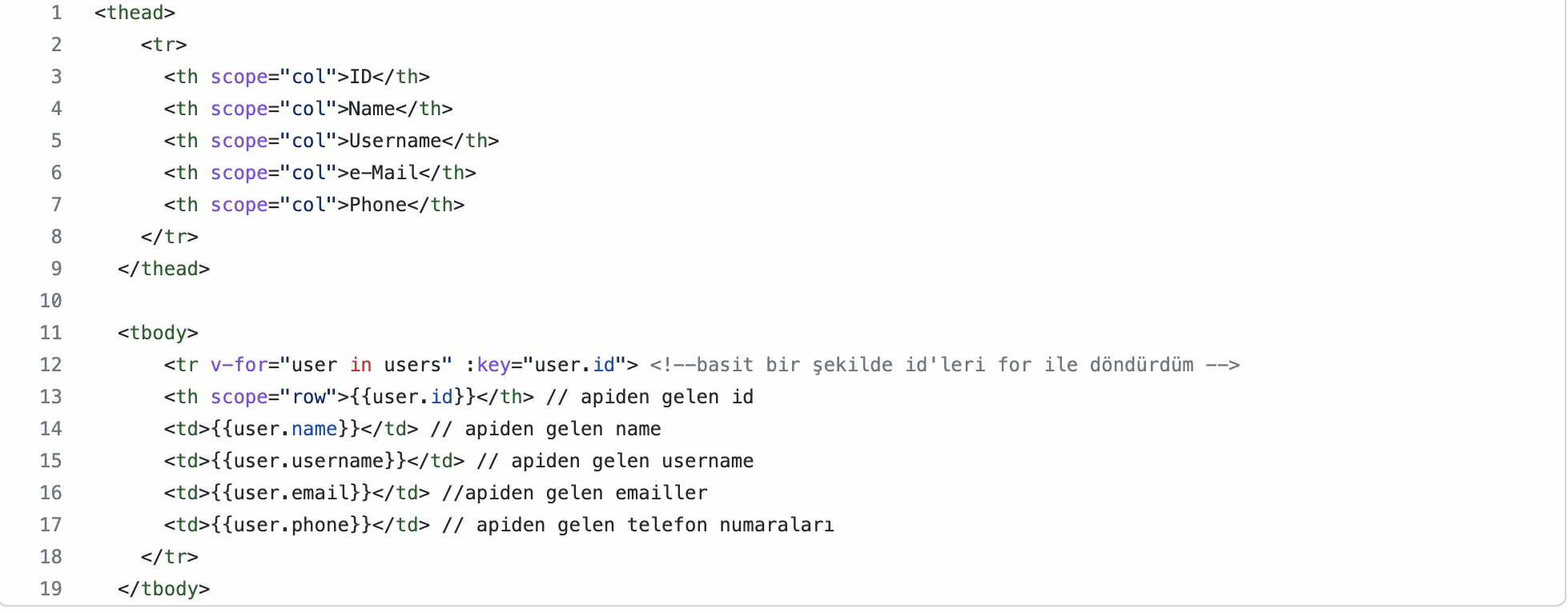
Bootstrap yardımı ile ufak tablo oluşturalım ve api’den gelen verileri bu tabloya yerleştirelim
Ve Sonuç…