
Sales1 min read184 words

What is Axios and How to Use it in Vue.Js

Emir Eskici

PlusClouds Author

Cloud & SaaS

Usage of Axios with Vue.Js

What is Axios?
In its simplest form, it is a JavaScript library that allows us to easily perform HTTP operations in client-side applications.
Axios Installation
We can install it via npm, yarn, and CDN.
Installation with Npm

$ npm install axios

Installation with Yarn

$ yarn add axios

Installation with CDN

A Small Example with the Axios.get() Method
Let's create a small API example with Axios's get() method


import axios from 'axios' // we import axios to use it after loading
export default {
data(){
    return{
        users:null, // I created an empty variable named users
    }},
  methods:{
    function (){
    axios.get('https://jsonplaceholder.typicode.com/users').then((response) => { 
    // we fetch the api and use the then() method for further operations
     this.users = response.data; // we accessed the data object within the returned response and assigned it to the variable named users
     console.log(this.users); // now we logged the returned results to the console
     })
  }
}
}

Console Output

drawing

Let's Visualize the Result in the Example
Let's create a small table with the help of Bootstrap and place the data coming from the API into this table
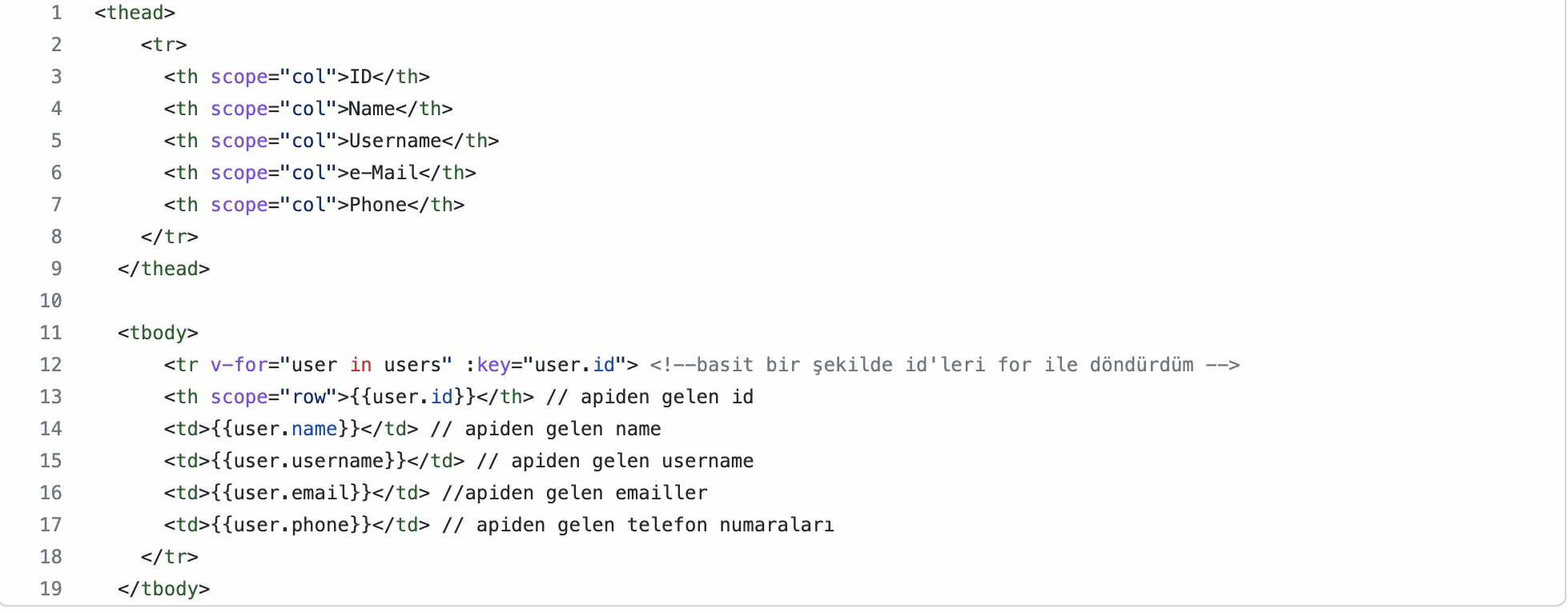
And the Result…
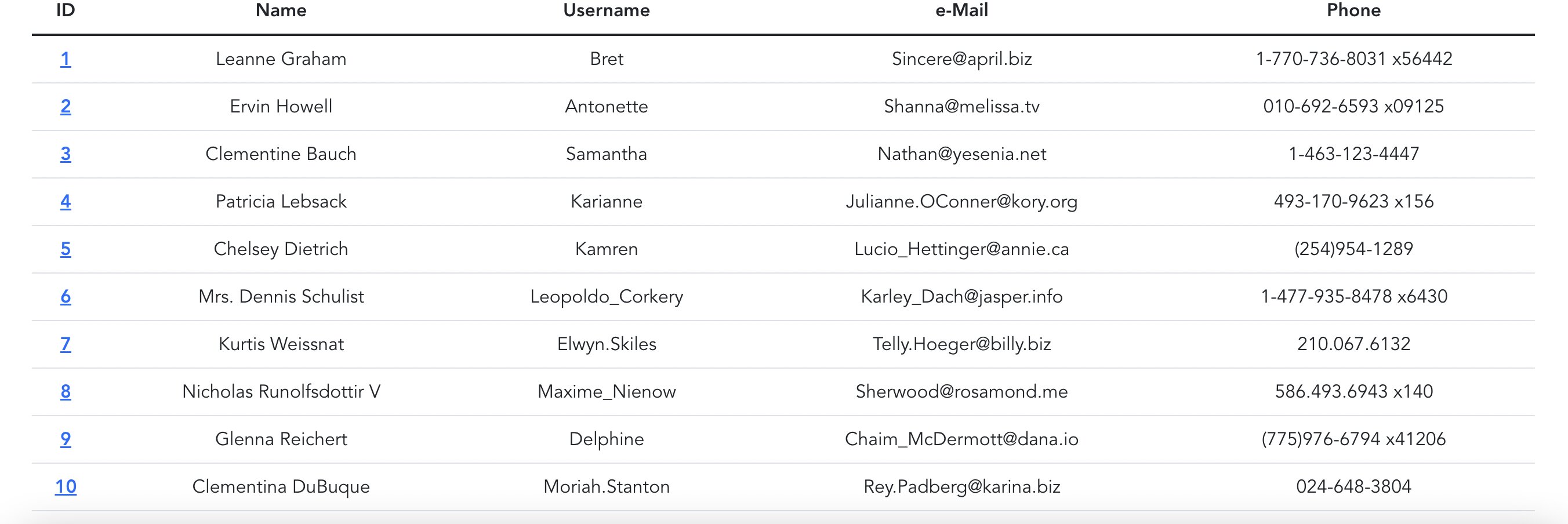

result

#There is no text provided for translation. Please provide the text you would like to be translated into English.

Frequently Asked Questions

What is Axios and what is it used for in client-side applications?

Axios is a JavaScript library that allows you to perform HTTP operations in client-side applications. It is used to make requests to servers from your Vue.js app and handle responses. It can be installed via npm, yarn, or loaded through a CDN.

How do I install Axios using npm, yarn, or a CDN?

You can install Axios with npm by running npm install axios, or with yarn by running yarn add axios. A CDN option is also available for loading Axios.

How do you perform a GET request with Axios in a Vue component?

The example shows importing axios and calling axios.get('https://jsonplaceholder.typicode.com/users') inside a component method. The response data is then assigned to this.users and logged to the console.

Where is the data stored after fetching with Axios in the example?

The component defines users as null in data, and after the GET request, the code assigns response.data to this.users.

What endpoint is used in the Axios GET example?

The GET request targets https://jsonplaceholder.typicode.com/users. The retrieved data is assigned to this.users.

How can the fetched data be visualized in the UI according to the example?

The post suggests creating a small table with Bootstrap and placing the data coming from the API into this table. This helps display the results in a structured format on the page.

What is logged to the console after fetching users with Axios?

The code logs the fetched users to the console, showing the retrieved data for verification.