Your backup job completed successfully at 2:47 AM. Green checkmark in the dashboard, retention policy satisfied, alerting quiet. Then the ransomware note appears on your file server at 9:15 the next morning, and the first thing your incident responder checks is not the encrypted production data. It is the backup repository. In a growing share of 2025 and 2026 incidents, that repository is already gone, corrupted, or encrypted alongside everything else.
This is not bad luck. It is deliberate attacker strategy, and it has reshaped what a defensible backup architecture needs to look like. This guide walks through how backup-targeting ransomware actually works in 2026, the recovery metric most teams have never measured, and how to build and prove a recovery path that survives an attack on your primary environment.
Key takeaways:
- Backup-targeting ransomware is now the standard playbook: attackers spend days or weeks locating backup servers, snapshots, and cloud storage credentials before detonation.
- Silent backup corruption, where data is modified instead of deleted, defeats job-success monitoring. Only automated restore verification catches it.
- RPO and RTO are not enough. You also need to know your MTCR, the Maximum Tolerable Recovery window, the point where unrecoverable downtime becomes an existential business event.
- A ransomware-resistant architecture requires four properties: a logical air gap, immutable storage, a separate identity plane, and continuous restore verification.
- Tested, documented recovery exercises double as compliance evidence for NIS2, DORA, and SOC 2.
Table of Contents
- Why Modern Ransomware Targets Backups Before Encrypting Anything Else
- The 2026 Attack Playbook: Reconnaissance, Backup Deletion, and Silent Corruption
- Why 'Having a Backup' Is No Longer Enough: The MTCR Metric You Need to Know
- What a Ransomware-Resistant Backup Architecture Looks Like in Practice
- How PlusClouds Automated Backup Enforces Isolation, RPO/RTO Targets, and SLA Tracking
- Pairing Automated Backup With Cloud Storage Tiers for Air-Gapped Protection
- How to Test and Prove Your Recovery Path Before an Incident Forces You To
- Compliance Alignment: NIS2, DORA, and SOC 2 Evidence From a Single Backup Stack
- Conclusion: Build a Recovery Path Attackers Cannot Reach
Why Modern Ransomware Targets Backups Before Encrypting Anything Else
Ransomware economics changed. Around 2020, operators discovered that encrypting production data was no longer enough, because companies with healthy backups simply restored and refused to pay. The attacker's response was rational: remove the recovery option first, and the negotiation leverage shifts entirely.
So the modern playbook inverts the old one. Backup infrastructure is now a primary target, not collateral damage. Industry reporting through 2025 and 2026 consistently describes attackers spending days or weeks inside a network before detonation, with a large share of that dwell time spent locating backup servers, hypervisor snapshot infrastructure, and cloud storage credentials (Eon's cloud ransomware guide documents this pattern in detail). The reason is simple: if your only recovery path is destroyed, your options collapse to paying or rebuilding from scratch.
Three factors make backups unusually easy targets:
- Backups hold credentials. Backup software needs broad permissions across your environment to read everything. Compromise the backup server and you often inherit domain-level access.
- Backups are centrally located. One repository, one network path, one management console. Attackers do not need to hunt across hundreds of machines.
- Backups are trusted. They sit on networks with weaker monitoring because nobody expects them to be an attack vector. If your security team watches production closely and treats backup infrastructure as plumbing, that is exactly where an attacker wants to operate.
If your backup server shares a domain, shares an admin account, or shares a hypervisor host with production, you do not have a backup strategy. You have a single point of failure with a retention schedule.
The 2026 Attack Playbook: Reconnaissance, Backup Deletion, and Silent Corruption
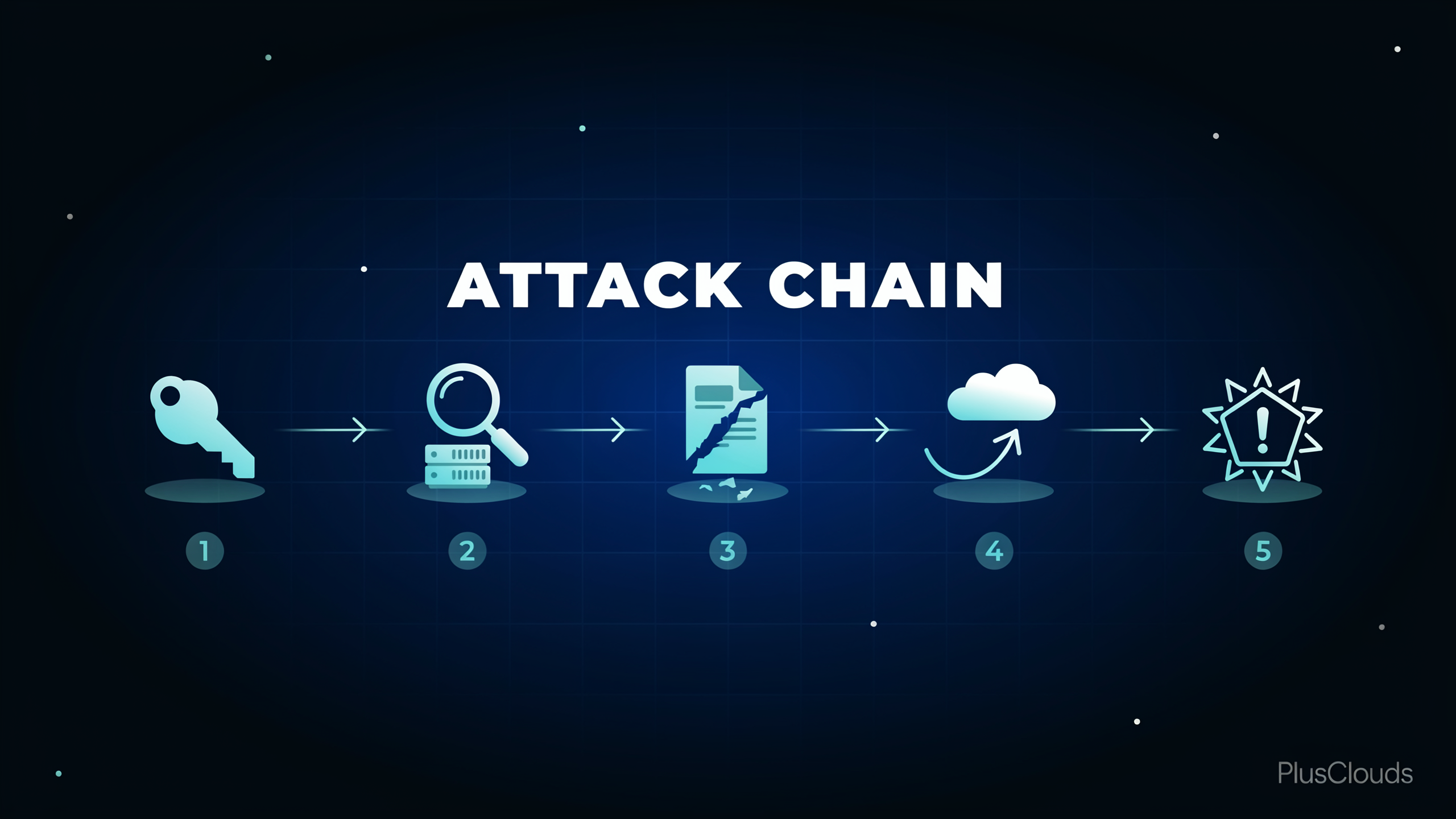
The attack sequence has become standardized enough that defenders can rehearse against it. It typically unfolds in five phases:
- Initial access and privilege escalation. Phishing, exposed remote access, or a compromised third-party credential. The attacker works toward domain admin or hypervisor admin, because both grant visibility into backup tooling.
- Backup reconnaissance. The attacker enumerates backup servers, storage targets, cloud bucket credentials, and snapshot schedules. Veeam, Commvault, and similar management consoles are high-value finds.
- Backup deletion and corruption. Snapshots are deleted, repositories are encrypted or wiped, cloud credentials are used to version-delete or lifecycle-purge remote copies. Some operators now corrupt backups silently and leave them in place, so your restore fails days after you think it succeeded.
- Exfiltration. Data leaves the network before encryption. This enables the double extortion model: pay to decrypt, pay again to prevent publication.
- Detonation and negotiation. Encryption begins, and the ransom note arrives knowing exactly how few recovery options you have left.
The silent corruption phase deserves particular attention. Analysis of 2026 trends (Xopero's cybersecurity outlook and NovaBackup's backup trend report both cover this) shows attackers increasingly modifying backup data rather than deleting it. A deleted backup triggers alerts. A corrupted backup that still passes a superficial file-count check does not. This is why restore verification, not job success, is the only meaningful backup health signal.
Why 'Having a Backup' Is No Longer Enough: The MTCR Metric You Need to Know
Most teams measure backup success with two numbers: RPO (Recovery Point Objective, how much data you can afford to lose) and RTO (Recovery Time Objective, how fast you need to be back up). Both are necessary. Neither answers the question that decides whether your company survives a ransomware event.
That question is: what is the longest period your business can tolerate being unable to recover at all? We call this the Maximum Tolerable Recovery window (MTCR): the point at which unrecoverable downtime stops being an IT incident and starts being an existential business event. For an e-commerce operation it might be hours. For a professional services firm it might be days. For a regulated financial entity, DORA effectively forces you to define it in writing.
MTCR matters because backup-targeting attacks attack it directly. If an attacker destroys your only recovery path, your effective recovery time is not your RTO. It is however long it takes to rebuild infrastructure from nothing, re-source data from whatever fragments survive, and reconstruct weeks of work. For many SMEs, that number is measured in months, and a meaningful percentage of companies never get there at all.
The practical exercise: write down your RTO, then write down what actually happens if the backup repository itself is gone. If the second number is dramatically larger than the first, you have found the gap your architecture needs to close. The rest of this article is about closing it.
What a Ransomware-Resistant Backup Architecture Looks Like in Practice
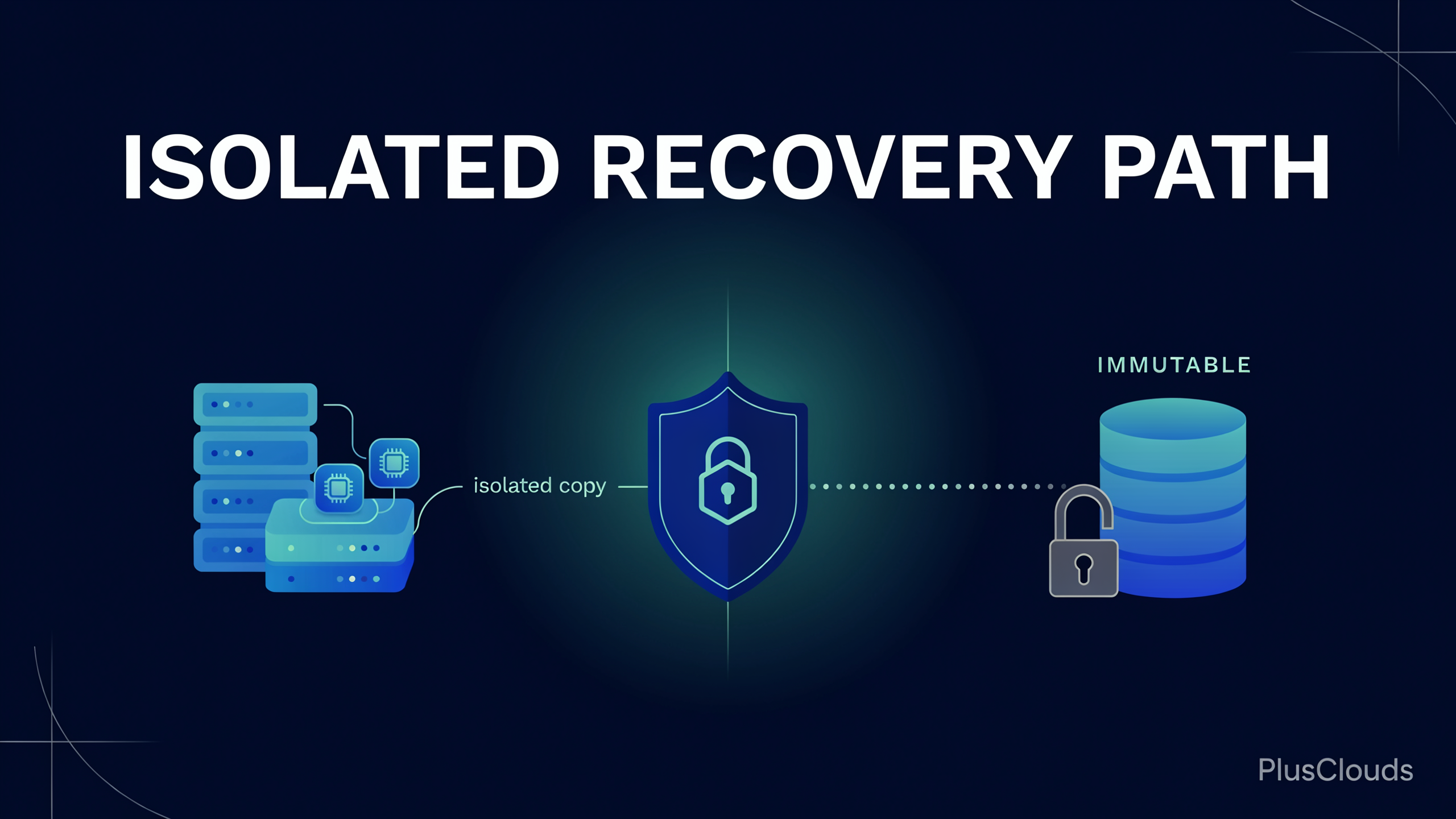
The core principle is isolation: at least one recovery copy must be unreachable using any credential an attacker could hold after compromising your production environment. We covered the underlying pattern in depth in our 3-2-1-1 backup rule guide, which explains the copy count and media-type separation. Here we focus on what "unreachable" means operationally in 2026.
A ransomware-resistant architecture has four properties:
- Logical air gap. The protected copy lives behind separate credentials, separate identity, and ideally a separate network zone. Compromising production admin accounts must not grant write or delete access to it.
- Immutability. The copy uses write-once storage or object lock so that even valid credentials cannot delete or overwrite it within the retention window. We walk through the full design in the immutable backup blueprint, including retention sizing.
- Separate identity plane. Backup authentication should not share your production directory. A dedicated account set, MFA enforced, and no standing domain admin rights.
- Continuous restore verification. Every backup cycle includes an automated restore test that validates data integrity, not just job completion. This is your defense against silent corruption.
A note on network design: backup traffic should traverse a management or private zone, not your public-facing network. If you are segmenting your environment, our guide to public, private, VPN, DMZ, and management zones shows where the backup path belongs and why putting it in the DMZ is a mistake.
How PlusClouds Automated Backup Enforces Isolation, RPO/RTO Targets, and SLA Tracking
The four properties above are architecture requirements, and they can be built manually. The operational problem is that manual backup discipline decays. Schedules drift, verification tests get skipped during busy weeks, and nobody notices until the restore fails. This is where tooling earns its place.
PlusClouds Automated Backup is built around the discipline problem specifically. It gives you:
- Explicit RPO and RTO targets per workload, defined at configuration time rather than implied by whatever schedule someone set up in 2023. Your database might carry a 15-minute RPO while a static file share carries a 24-hour one, and the platform tracks both against actual performance.
- SLA tracking, which converts backup from a best-effort activity into a measured service. If your backup jobs miss the declared RPO, you see it, rather than discovering it during an incident.
- Remote restore capability, which matters more than it sounds. If your primary site is compromised or offline, being able to restore into a clean environment from an isolated copy is what turns your theoretical MTCR into a real one.
- Automated scheduling and retention, removing the human steps where drift and error accumulate.
The honest framing: no backup product makes you ransomware-proof by itself. What a managed, SLA-tracked backup service does is remove the failure modes that attackers exploit, namely stale schedules, unverified restores, and copies that quietly stopped being isolated because someone reused a credential six months ago.
Pairing Automated Backup With Cloud Storage Tiers for Air-Gapped Protection
Isolation needs a destination, and the destination's storage class determines how strong the air gap actually is. This is where tiered object storage becomes part of your security architecture rather than just a cost decision.
PlusClouds Cloud Storage provides standards-based pooled storage across HDD, SSD, and NVMe tiers. For backup purposes, the tiering decision maps directly to your recovery objectives:
- NVMe or SSD tiers for your fast-restore copy, serving the RTO for critical workloads. This is the tier you restore from during an incident.
- HDD tiers for longer-retention copies, where restore speed matters less than cost-efficient retention depth. This is where your 30, 60, or 90-day history lives.
The air-gap property comes from how you combine tiers with access policy: the long-retention tier holds immutable or write-once copies with credentials that production systems never touch. If you are weighing object storage against block storage for these copies, our object vs. block storage comparison breaks down which workloads each class actually fits.
One more consideration for European readers: where those copies physically live is now a compliance question, not just a latency one. Our data sovereignty guide for 2026 covers how to keep backup data inside national borders without giving up performance, and it applies directly to your recovery tier.
How to Test and Prove Your Recovery Path Before an Incident Forces You To
An untested backup is a hypothesis. A tested backup is a capability. The difference becomes painfully visible during an incident, when the pressure is highest and the margin for error is zero.
Build a quarterly recovery exercise around this sequence:
- Pick a workload and declare targets. Write down the RPO and RTO you intend to meet before you start.
- Restore into a clean environment. Not production, not the same hypervisor host. An isolated recovery environment proves the backup is self-sufficient.
- Validate data integrity and application function. Open the database, run the application, check row counts against expectations. This is the step that catches silent corruption.
- Measure actual recovery time. Compare it to your declared RTO. The gap between the two is your real work list.
- Document everything. Timestamps, commands, failures, fixes. This document is simultaneously your operational learning and your compliance evidence.
Run the full exercise at least twice a year, and run a scaled-down version monthly using the automated verification your backup platform performs anyway. If you want a fuller rehearsal structure, our ransomware recovery playbook walks through the incident-day sequence step by step, and pairs well with this exercise as a tabletop drill.
Compliance Alignment: NIS2, DORA, and SOC 2 Evidence From a Single Backup Stack
Here is the part most teams underuse: a properly designed backup architecture generates compliance evidence almost as a byproduct, and 2026 regulation increasingly demands exactly the artifacts you should be producing anyway.
- NIS2 requires demonstrated business continuity and crisis management capabilities, including backup and recovery procedures that are actually tested. Your quarterly recovery exercise documentation is the direct evidence.
- DORA Articles 11 and 12 go further for financial entities, requiring ICT backup policies, restoration and recovery testing, and proof that recovery objectives are met. Our DORA Article 11 and 12 survival guide maps each requirement to a concrete control, and the SLA tracking from an automated backup platform produces the "objectives are met" evidence continuously rather than as a one-off audit scramble.
- SOC 2 examiners ask for backup monitoring, restore testing, and evidence of exception handling. An SLA-tracked backup system with logged verification tests answers all three.
The efficiency gain is real: one backup stack, one set of test records, three frameworks satisfied. If you are consolidating compliance programmes rather than running them in parallel, our guide to unified GDPR, NIS2, and DORA compliance on one cloud infrastructure shows how the same infrastructure controls map across all three regimes.
Conclusion: Build a Recovery Path Attackers Cannot Reach
Ransomware in 2026 is a recovery problem before it is an encryption problem. Attackers go after your backups first because that is where your negotiating power lives, and the defense is architectural: isolated credentials, immutable copies, verified restores, and a recovery path you have actually rehearsed. Measure your MTCR honestly, close the gap between it and your declared RTO, and let automation keep the discipline from decaying.
PlusClouds Automated Backup paired with tiered Cloud Storage gives you explicit RPO/RTO targets, SLA tracking, and an isolated recovery destination, so you can restore with confidence without discovering during an incident that your backups went with everything else. If you want to see how this maps against your current backup setup, explore Automated Backup and start with a single critical workload.