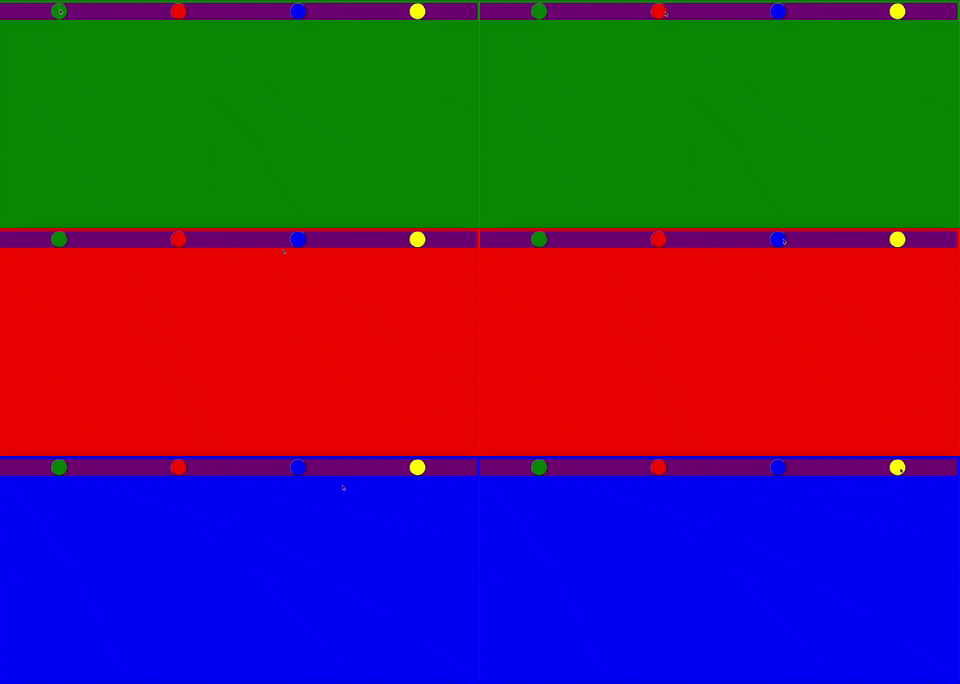
تغيير الخلفية باستخدام JavaScript
مرحبًا، في هذه المدونة سأعرض لكم تطبيقًا صغيرًا يمكنكم تطويره كما تريدون، مثلما هو الحال في المدونات الأخرى. لنستعرض معًا هذا التطبيق البسيط والممتع والذي يسمح لنا بتغيير الخلفية باستخدام JavaScript (تغيير لون الخلفية في JavaScript)

للمشاريع / التطبيقات الأخرى (انظر: المدونة)
HTML
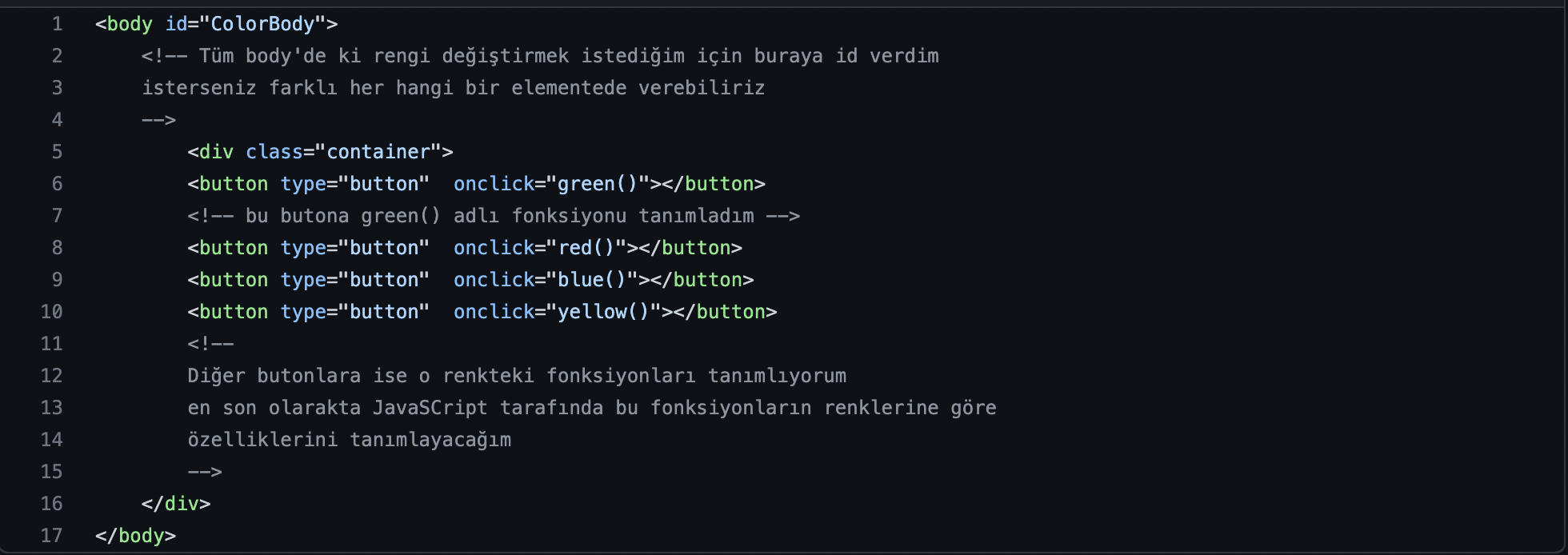
لنقوم أولاً بإنشاء مجموعة من الأزرار التي ستوفر لنا خيارات الألوان المطلوبة، ومن ثم نضيف لها خاصية onClick من جانب HTML
JS
لنقم بتعريف دوال onClick التي أضفناها للأزرار في كود HTML الخاص بنا.
function green(){
    document.getElementById("ColorBody").style.backgroundColor="green"
}
// ببساطة اخترت العنصر الذي لديه Id يسمى ColorBody وأعطيت خلفية باللون الأخضر باستخدام خاصية style backgroundColor
function red(){
    document.getElementById("ColorBody").style.backgroundColor="red"
}

function blue(){
    document.getElementById("ColorBody").style.backgroundColor="blue"
}
function yellow(){
    document.getElementById("ColorBody").style.backgroundColor="yellow"
}
النتيجة