You opened a ticket with your cloud provider expecting a bill somewhere in the range of last month's. What arrived was 40% higher, and nobody on the team could immediately explain why. Sound familiar? For most engineering teams running Kubernetes in production, this is not a hypothetical, it is a recurring event that gets harder to diagnose as the cluster grows.
Datadog's State of Cloud Costs report found that 83% of container costs go to idle or over-provisioned resources. That is not a rounding error. It means the majority of what most organizations pay for Kubernetes is buying them nothing, no throughput, no reliability, no user value. Just headroom that never gets used.
The good news is that Kubernetes cost optimization is a solvable problem. It requires neither a platform rewrite nor a painful capacity freeze. What it does require is a systematic approach: understanding where the money actually goes, fixing the obvious structural waste first, and then applying the more surgical FinOps practices that separate mature platform teams from everyone else. This article walks you through all of it.
Table of Contents
- Key Takeaways
- Why Kubernetes Bills Spiral Out of Control
- The Three Cost Layers: Compute, Storage, and Network
- Kubernetes Rightsizing: CPU and Memory Requests vs. Limits
- Kubernetes Autoscaling Cost Strategy: HPA, VPA, and Cluster Autoscaler Compared
- Eliminating Non-Production Waste: Dev and Staging Cluster Scheduling
- Kubernetes FinOps Practices: Namespace Tagging, Chargeback, and Showback
- GPU Rightsizing: The Biggest Untapped Lever in 2026
- Running Cost-Efficient Kubernetes on PlusClouds
- Putting It All Together: A Kubernetes Cost Optimization Roadmap
Key Takeaways
- 83% of Kubernetes container costs typically fund idle or over-provisioned resources (Datadog, State of Cloud Costs).
- Pod rightsizing with VPA is the highest-leverage single intervention, most teams find actual CPU usage is a fraction of requested values.
- HPA, VPA, and Cluster Autoscaler solve different problems and must be combined deliberately; running HPA and VPA on the same CPU dimension causes conflicts.
- Non-production environments running 24/7 at production-level resource configs are a primary source of avoidable waste; scheduled scaling to zero can eliminate it.
- Namespace cost attribution (showback/chargeback via Kubecost or OpenCost) changes team behavior faster than most technical interventions.
- GPU rightsizing, using MIG partitioning, time-slicing, and spot instances, can be the single largest dollar-value reduction for teams running ML inference or training workloads.
- Zero-egress-fee infrastructure (such as PlusClouds) removes a cost layer that adds 10-20% to hyperscaler Kubernetes bills before any optimization begins.
Why Kubernetes Bills Spiral Out of Control
Kubernetes was designed to make running distributed applications easier. Cost visibility was not part of the original design contract. The platform abstracts away the underlying infrastructure so effectively that it also abstracts away the financial consequences of your configuration choices.
Three structural forces drive bills upward over time. First, over-provisioning by default: developers set CPU and memory requests conservatively high because the cost of an OOMKilled pod in production is immediate and visible, while the cost of wasted capacity is invisible and deferred. Second, cluster sprawl: teams spin up separate clusters for dev, staging, QA, and production, then forget to enforce any scheduling discipline on the non-production ones. Third, network egress fees: traffic between availability zones, between clusters, and out to the internet accumulates silently in the background. None of these forces announce themselves. They compound.
The result is that by the time a team notices the bill, the waste is structural, baked into resource requests, namespace configurations, and cluster topologies that nobody wants to touch because they're "working."
The Three Cost Layers: Compute, Storage, and Network
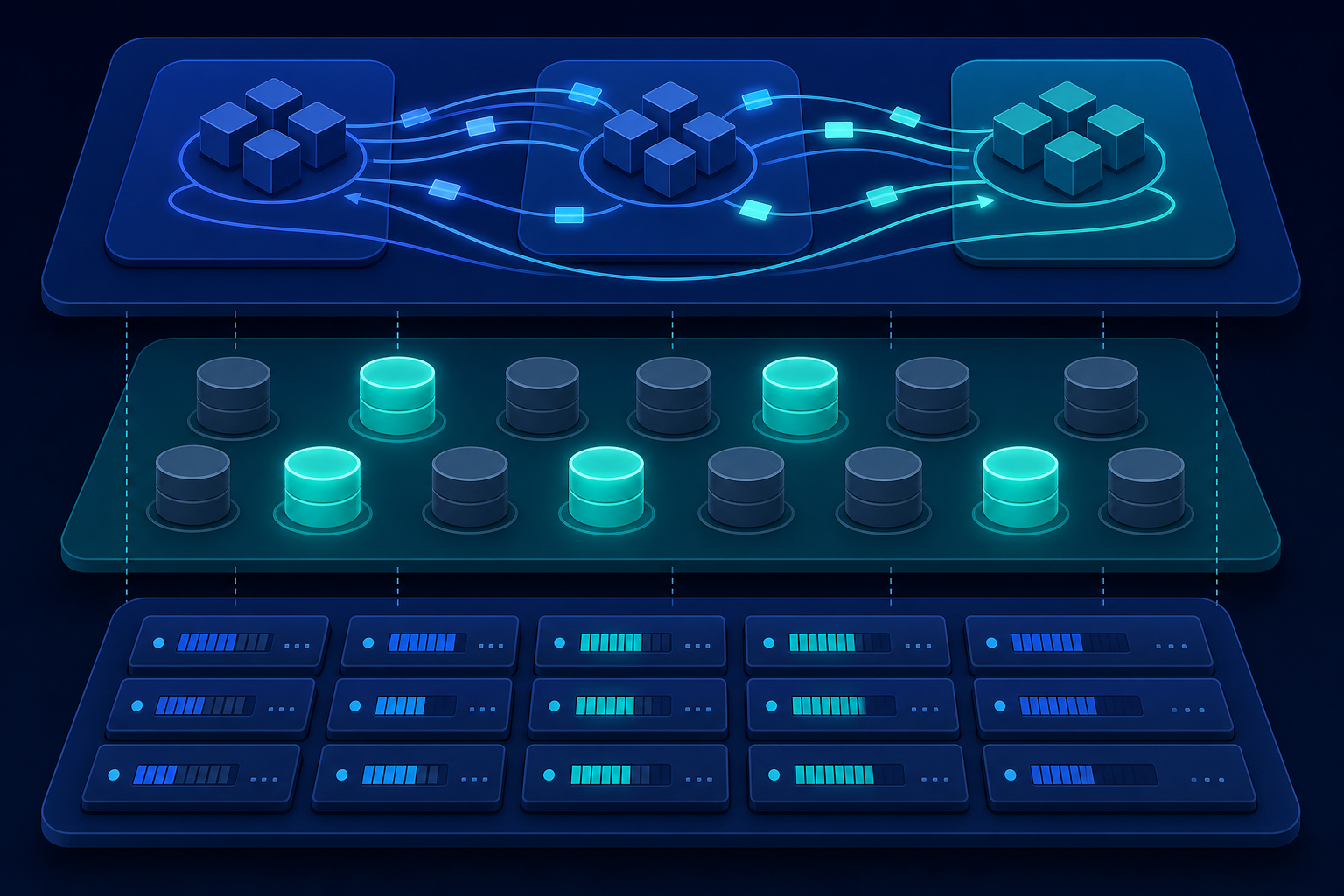
Before optimizing anything, it helps to know which layer is actually responsible for the bulk of your spend. Kubernetes costs divide cleanly into three buckets.
Compute Costs
Compute is usually the largest cost driver. Node costs, whether you're running managed Kubernetes on a hyperscaler (Amazon EKS, Google GKE, Azure AKS) or self-managed on virtual machines, are driven by the CPU and memory capacity you provision, not by what your workloads actually consume. A node running at 20% utilization costs the same as one running at 80%.
Storage Costs
Storage is the second layer. Persistent Volume Claims (PVCs) that outlive the pods that created them are common. So are dynamically provisioned volumes that were created for a test run and never deleted. Storage charges accumulate quietly. Audit your PVCs regularly with:
kubectl get pvc --all-namespaces | grep -v BoundAny PVC in a Released or Pending state that has been sitting there for more than a few days is almost certainly waste.
Network and Egress Costs
Network is the third layer and the most underestimated. Cross-zone traffic within a cloud provider typically costs $0.01 per GB, which sounds trivial until your microservices are making millions of inter-service calls per hour across availability zones. Kubernetes does not respect zone affinity by default. A service in us-east-1a will happily route requests to a pod in us-east-1b without any cost signal.
Topology-aware routing, introduced in Kubernetes 1.21, exists precisely to fix this, but most teams have never enabled it. Enabling it is one of the lowest-effort, highest-return network cost changes available.
Kubernetes Rightsizing: CPU and Memory Requests vs. Limits
Kubernetes rightsizing is the highest-leverage technical intervention available to most teams. The mechanics matter here, so it's worth being precise.
A pod's resource request is what the Kubernetes scheduler uses to decide which node can accommodate the pod. A pod's resource limit is the ceiling the kubelet enforces at runtime. If your requests are set too high, the scheduler reserves capacity that never gets used. If your limits are set too low, pods get throttled or killed under load.
The practical problem is that most teams set requests based on intuition or copy-paste from a previous service, then never revisit them. Vertical Pod Autoscaler (VPA) in recommendation mode is the most direct tool for correcting this without guesswork:
apiVersion: autoscaling.k8s.io/v1
kind: VerticalPodAutoscaler
metadata:
  name: my-service-vpa
spec:
  targetRef:
    apiVersion: "apps/v1"
    kind: Deployment
    name: my-service
  updatePolicy:
    updateMode: "Off"
Setting updateMode: "Off" means VPA will generate recommendations without actually changing anything. Run this for two weeks, then review the status.recommendation field. You will almost always find that actual CPU usage is a fraction of what was requested. A common pattern: a service with a 500m CPU request that consistently uses 80m. Correcting that frees up real node capacity, and real money.
For memory, be more conservative. CPU throttling degrades performance gracefully; memory exhaustion kills pods. A reasonable starting point is to set memory requests at the 95th percentile of observed usage and limits at 1.5× that value.
Kubernetes Autoscaling Cost Strategy: HPA, VPA, and Cluster Autoscaler Compared
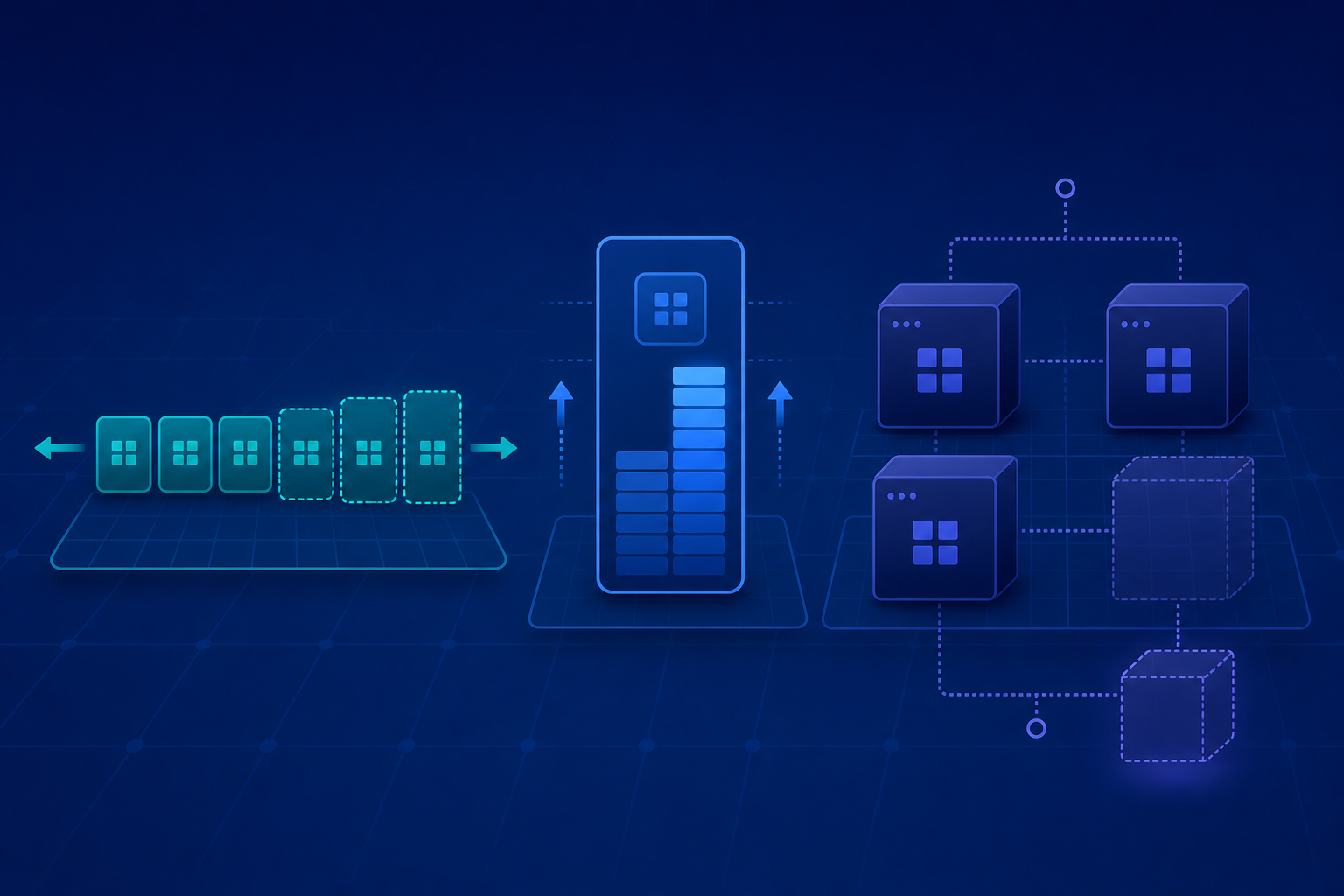
The three autoscaling mechanisms in Kubernetes address different problems, and conflating them is a common source of both instability and waste.
Horizontal Pod Autoscaler (HPA)
HPA scales the number of pod replicas based on observed metrics, typically CPU utilization or custom metrics from Prometheus. It is the right tool for stateless workloads with variable traffic patterns. The catch: HPA reacts to utilization relative to the resource request, not absolute CPU usage. If your requests are wrong, your HPA behavior will also be wrong.
Vertical Pod Autoscaler (VPA)
VPA adjusts the resource requests and limits of individual pods. In Auto mode it will evict and reschedule pods with corrected resource allocations. VPA and HPA cannot both manage CPU on the same deployment simultaneously, running them together on the same resource dimension causes conflicts.
Cluster Autoscaler and Karpenter
Cluster Autoscaler operates at the node level. When pods cannot be scheduled because no node has sufficient capacity, it provisions new nodes. When nodes are underutilized (typically below 50% for an extended period), it drains and removes them. The key configuration parameter most teams ignore is --scale-down-utilization-threshold. The default is 0.5. For cost-sensitive environments, consider dropping it to 0.4, but test this carefully, as aggressive scale-down can cause scheduling pressure during traffic spikes.
Karpenter, originally developed by AWS but now a CNCF project, is worth evaluating as a Cluster Autoscaler replacement. Its bin-packing logic is more aggressive and it supports mixed instance types, which can meaningfully reduce node costs.
A mature Kubernetes autoscaling cost strategy typically combines all three: VPA in recommendation mode to inform correct request values, HPA for horizontal scaling of stateless services, and Cluster Autoscaler (or Karpenter) to right-size the node pool.
Eliminating Non-Production Waste: Dev and Staging Cluster Scheduling
Non-production environments are where Kubernetes cost discipline most frequently breaks down. Dev and staging clusters tend to run 24/7 with the same resource configurations as production, even though developers work eight-hour days and staging environments are idle most of the weekend.
The fix is straightforward: scheduled scaling. Use a CronJob or a tool like Kube-downscaler to scale non-production deployments to zero replicas outside business hours.
# Annotate a deployment to scale down at night and on weekends
kubectl annotate deployment my-dev-service \
  downscaler/uptime="Mon-Fri 08:00-20:00 Europe/Berlin"
For teams running dev workloads on the same cluster as production, namespace ResourceQuotas enforce spending boundaries without requiring separate clusters:
apiVersion: v1
kind: ResourceQuota
metadata:
  name: dev-namespace-quota
  namespace: development
spec:
  hard:
    requests.cpu: "10"
    requests.memory: 20Gi
    limits.cpu: "20"
    limits.memory: 40Gi
Spot or preemptible instances are another lever here. Non-production workloads that can tolerate interruption are ideal candidates for spot nodes, typically 60-80% cheaper than on-demand. Node selectors and tolerations make it straightforward to pin non-production pods to a spot node pool while keeping production on on-demand capacity.
If you're thinking about the underlying infrastructure choices here, our Cloud Cost Optimization: A Practical Guide for Startups covers the broader infrastructure decision-making framework that complements these Kubernetes-specific tactics.
Kubernetes FinOps Practices: Namespace Tagging, Chargeback, and Showback
Technical optimization gets you so far. Beyond a certain point, the binding constraint is organizational: teams don't change behavior they can't see the cost of. This is where Kubernetes FinOps practices become essential.
Namespace-Level Cost Allocation
Namespace-level cost allocation is the foundation. Every namespace should map to a team, product, or cost center. Tools like Kubecost or OpenCost (the CNCF-donated open-source version) aggregate resource consumption by namespace and translate it into dollar figures.
This is showback, showing teams what they're spending without charging them for it. It changes behavior faster than most engineers expect, because developers generally do not want to be the team with the biggest bar on the cost dashboard.
Chargeback
Chargeback goes one step further: actual internal billing or budget deductions based on measured consumption. This requires more organizational buy-in but creates the strongest incentive alignment. The prerequisite is clean namespace-to-team mapping and consistent labeling.
Enforcing Label Standards
Label standards should be enforced at admission time using a ValidatingAdmissionWebhook or a policy tool like OPA Gatekeeper. A workload without required labels, team, environment, cost-center, should not be schedulable:
# Example required labels for cost attribution
metadata:
  labels:
    team: payments
    environment: production
    cost-center: "1042"
K8s cost management at this level is not a one-time project. It is a practice, monthly reviews, anomaly alerts, and regular rightsizing cycles. CloudZero and Apptio Cloudability both offer Kubernetes-native cost views if you need more than what open-source tooling provides.
GPU Rightsizing: The Biggest Untapped Lever in 2026
GPU costs deserve their own section because the numbers are different in kind, not just degree. A single NVIDIA A100 node can cost $30-40 per hour on major cloud providers. A team running GPU workloads for model inference or training that has not implemented proper rightsizing is likely burning more on GPUs than on all other compute combined.
GPU Sharing in Kubernetes
The core problem with GPU utilization in Kubernetes is that the default scheduling model is binary: a pod either gets the GPU or it doesn't. GPU sharing, allowing multiple pods to time-share a single GPU, requires either:
- NVIDIA Multi-Instance GPU (MIG) partitioning for A100/H100 hardware, or
- The NVIDIA GPU Operator with time-slicing configuration for older hardware generations.
Checking Actual GPU Memory Utilization
For inference workloads specifically, check actual GPU memory utilization before assuming you need a full GPU. A model that fits in 8 GB of VRAM does not need a 40 GB A100. nvidia-smi inside the pod gives you the ground truth:
kubectl exec -it <pod-name> -- nvidia-smi --query-gpu=memory.used,memory.total --format=csvSpot GPU Instances for Training
Batch training jobs should use spot GPU instances wherever the training framework supports checkpointing. PyTorch and TensorFlow both support checkpoint/resume. A training job that saves a checkpoint every 30 minutes loses at most 30 minutes of work on a spot interruption, and costs 60-80% less than on-demand GPU capacity.
GPU rightsizing is also where the choice of underlying infrastructure matters most. Hyperscaler GPU pricing carries significant margin. For teams running sustained GPU workloads, bare-metal GPU servers, where you're paying for the hardware capacity rather than a managed service wrapper, can reduce per-hour costs substantially.
Running Cost-Efficient Kubernetes on PlusClouds
Every optimization technique in this article applies regardless of where your cluster runs. But the baseline infrastructure cost sets the floor that all your optimization efforts work against. If your node costs are high to begin with, even perfect rightsizing leaves you paying more than necessary.
PlusClouds Cloud Servers run on AMD EPYC processors with NVMe storage, deploy in 60 seconds, and carry a 99.98% uptime SLA, with zero egress fees. That last point matters more than it might seem. On major hyperscalers, egress fees can add 10-20% to a Kubernetes cluster's total cost once you account for inter-zone traffic, load balancer data processing, and outbound traffic to users. Removing egress fees from the equation changes the cost model meaningfully.
PlusClouds Load Balancers integrate directly with Kubernetes via standard cloud provider APIs, handling ingress traffic distribution without the per-hour plus per-GB pricing structure that makes hyperscaler load balancers expensive at scale. Combined with PlusClouds Networking, which spans public, private, VPN, management, and DMZ network types from a single control plane, you get the network topology flexibility that Kubernetes cost optimization requires (particularly for keeping inter-service traffic on private networks rather than routing it through public endpoints).
For teams evaluating the infrastructure layer as part of a broader cost reduction effort, the Renting a Virtual Server: 5 Critical Factors to Consider in 2026 article breaks down the decision criteria in detail.
If you're running GPU workloads and the per-hour cost on hyperscalers is becoming untenable, PlusClouds bare-metal X7000 series servers are worth a direct comparison. Dedicated hardware for sustained GPU workloads consistently outperforms managed GPU instances on a cost-per-compute-hour basis once you account for the full billing picture.
Putting It All Together: A Kubernetes Cost Optimization Roadmap
Kubernetes cost optimization is not a single intervention, it is a stack of practices applied at different layers, with different payback timelines:
| Intervention | Time to Impact | Complexity |
|---|---|---|
| VPA recommendation audit on top deployments | Days | Low |
| Non-production scheduled scale-to-zero | Immediate | Low |
| Spot instances for non-production node pools | Days | Medium |
| Namespace cost attribution (Kubecost/OpenCost) | Weeks-months (behavior change) | Medium |
| HPA + VPA + Cluster Autoscaler combination | Days-weeks | High |
| GPU MIG partitioning / time-slicing | Days | High |
| Infrastructure layer switch (zero-egress pricing) | Immediate on migration | High |
The 83% idle resource figure is not a fixed law of nature. It is the consequence of defaults that were never revisited, requests that were never measured, and costs that were never made visible to the people making configuration decisions. Each section of this article addresses one part of that problem.
Start with a VPA recommendation audit on your five highest-cost deployments. Run kubectl top pods --all-namespaces and compare what you see against the requests defined in your manifests. The gap between those two numbers is your first optimization target, and for most teams, it is larger than expected.
When you're ready to look at the infrastructure layer itself, explore PlusClouds Kubernetes-ready Cloud Servers and networking infrastructure, built for teams that want predictable pricing, not a bill that requires a forensic audit to understand.