Your AWS bill arrived. You stared at it for a moment longer than usual. Then you forwarded it to your CTO with no subject line. She already knew.
If you are running production workloads at scale on AWS, Azure, or GCP and your monthly spend has crossed the threshold where it genuinely affects your unit economics, you are probably not alone in asking whether the public cloud is still the right home for everything you have deployed there. A growing number of engineering teams are answering that question with a migration plan rather than another round of Reserved Instance purchases.
This playbook covers the execution side of that decision: how to audit what you have, build a defensible business case, choose the right bare-metal configuration, move workloads without breaking production, bridge the networking gap during transition, and harden your new environment once you land. If you are still weighing whether to move at all, that is a separate conversation. If you have already decided to move, read on.
Key Takeaways
- Cloud repatriation is accelerating in 2026, driven by flat hyperscaler pricing, falling hardware costs, and Broadcom's VMware licensing changes.
- Workloads that run continuously at high, predictable utilization almost always cost less on bare metal than on public cloud above roughly $15,000-$25,000 per month in cloud spend.
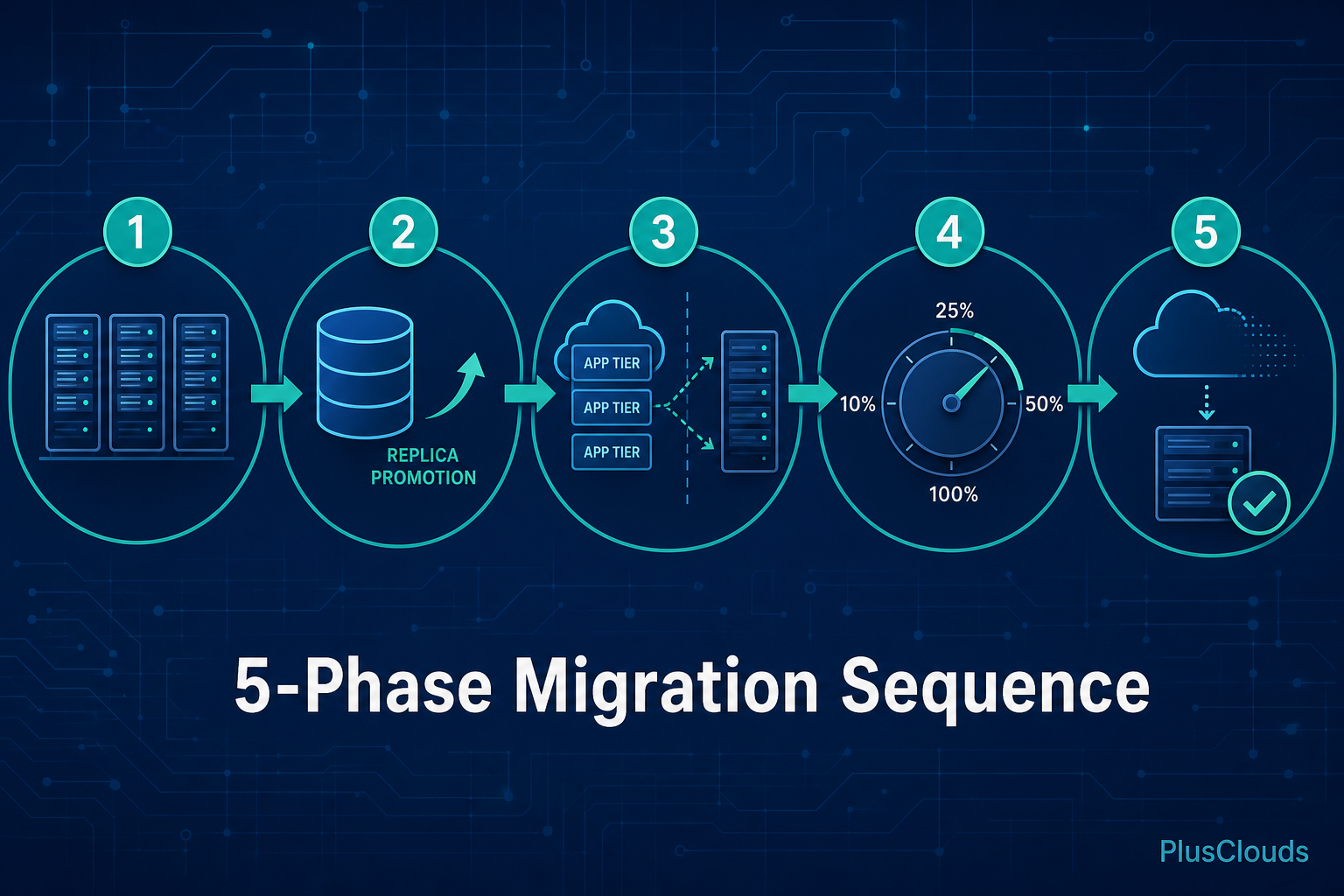
- A safe migration follows five phases: provision, database migration, parallel app deployment, incremental traffic shift, then cloud decommission after a 30-day observation window.
- You own more of the security stack on bare metal. Firewall rules, intrusion detection, backup RPO/RTO, and hardware monitoring all require explicit setup before production traffic arrives.
- Repatriation does not have to be all-or-nothing. A hybrid model with dedicated infrastructure for stable workloads and a smaller cloud footprint for genuine elasticity is a rational long-term strategy.
Table of Contents
- The Cloud Repatriation Wave: Why Enterprises Are Leaving Hyperscalers in 2026
- Which Workloads Are Best Suited for Bare Metal (and Which Should Stay in the Public Cloud)
- Total Cost of Ownership: Building the Business Case for Cloud Repatriation
- Pre-Migration Audit: Mapping Dependencies, Latency Requirements, and Compliance Constraints
- Choosing the Right Bare-Metal Server Configuration for Your Workload
- Migration Architecture: Lift-and-Shift vs. Re-Platform vs. Re-Architect
- Networking the Gap: Bridging Public Cloud and Bare Metal During Transition
- Post-Migration Hardening: Security, Backups, and Monitoring on Dedicated Hardware
- Avoiding Common Repatriation Mistakes (and How to Burst Back to the Cloud When Needed)
The Cloud Repatriation Wave: Why Enterprises Are Leaving Hyperscalers in 2026
The repatriation trend is real and it is accelerating. Research from OpenMetal points to a measurable shift in enterprise computing strategy, with organizations actively pulling workloads back from hyperscalers and placing them on private or dedicated infrastructure. The bare-metal cloud market is growing at a 17 to 25 percent compound annual growth rate, which is not what you would expect if this were a fringe movement.
Several forces converged to produce this moment. Hyperscaler pricing has not dropped meaningfully in years, while the cost of high-density dedicated hardware has fallen sharply. The VMware licensing changes that followed the Broadcom acquisition pushed thousands of organizations to re-evaluate their entire virtualization stack, making a full infrastructure review feel less like a detour and more like a necessary stop. At the same time, AI and GPU workloads have created a new class of compute demand that public cloud pricing handles particularly badly: long-running, high-utilization jobs where on-demand or even Reserved pricing produces bills that dwarf what dedicated hardware would cost.
None of this means public cloud is wrong for every workload. It means the default assumption that everything belongs in a hyperscaler deserves more scrutiny than it used to get.
Which Workloads Are Best Suited for Bare Metal (and Which Should Stay in the Public Cloud)
Not everything should move. Getting this wrong in either direction is expensive.
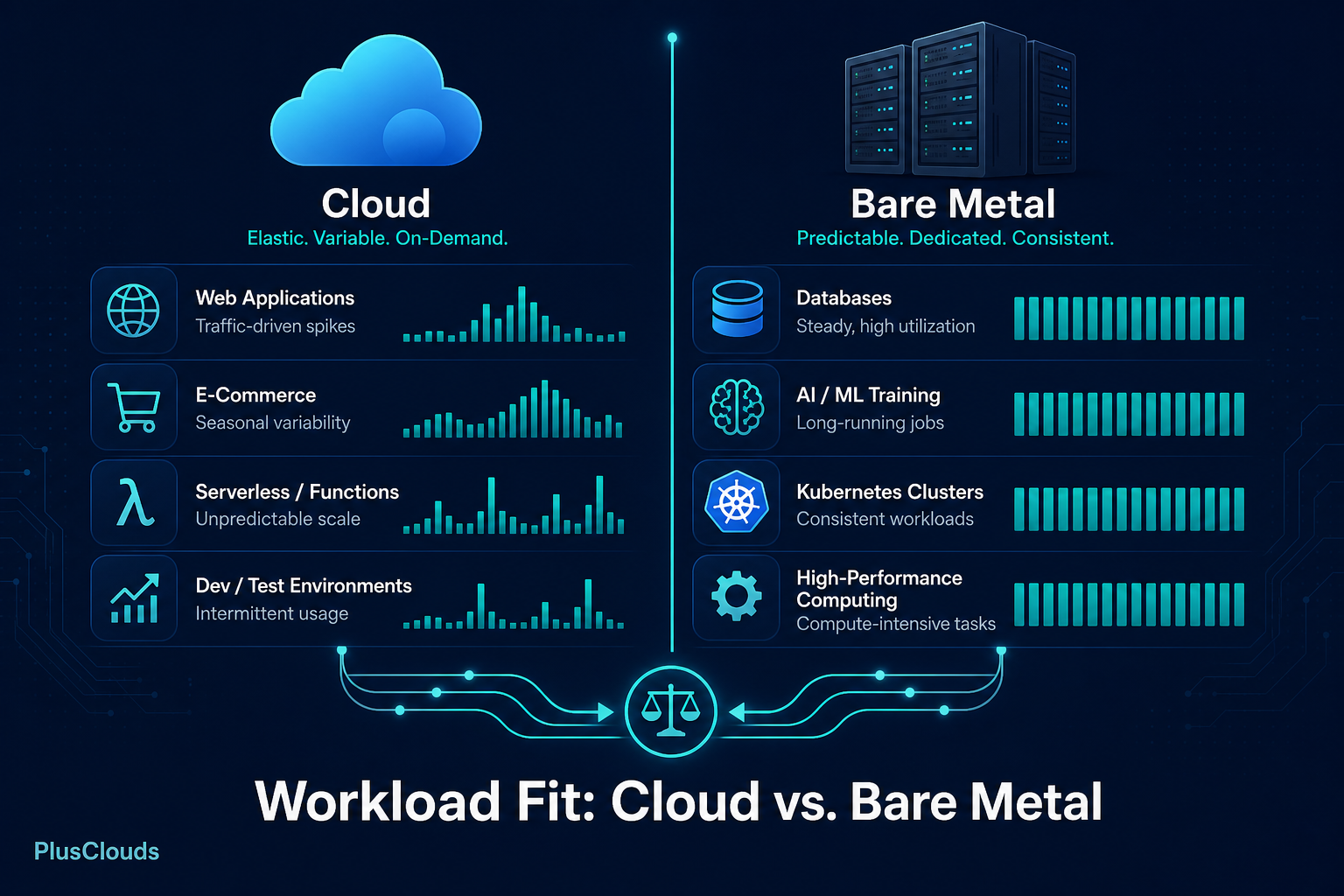
Workloads that belong on bare metal tend to share a few characteristics: they run continuously at high utilization, they are sensitive to noisy-neighbor effects, they have predictable resource requirements, and they do not need to scale from zero to hundreds of nodes in minutes. Databases (especially latency-sensitive OLTP systems), AI training jobs, video transcoding pipelines, high-frequency trading infrastructure, and large Kubernetes clusters with stable node counts all fit this profile.
Workloads that should stay in the public cloud are the ones that genuinely need elastic scale. Batch jobs with spiky, unpredictable demand. Development and staging environments where you want to spin up and tear down quickly. Anything where geographic distribution across dozens of regions is a hard requirement. Disaster recovery targets where you pay nothing until you need them.
A useful mental test: if you can predict your resource consumption 90 days out with reasonable confidence, bare metal will almost certainly be cheaper. If your consumption varies by a factor of five between your busiest and quietest weeks, the public cloud's elasticity is still worth paying for.
For teams running Kubernetes, this analysis is particularly relevant. If you have already done the work of optimizing your K8s cloud bill and the numbers still do not work, it is a strong signal that the problem is the underlying compute model, not the configuration.
Total Cost of Ownership: Building the Business Case for Cloud Repatriation
The mistake most teams make when building a TCO model is comparing the wrong numbers. They take their current cloud bill and compare it to the hardware cost alone. That understates the true cost of staying in the cloud and overstates the true cost of moving.
A complete TCO model for bare-metal migration includes hardware amortization (typically over three to five years), colocation or data center fees, networking costs, staffing for hardware management, software licensing (OS, hypervisor if you use one, monitoring), and power. A complete TCO model for public cloud includes compute, storage, egress fees (which are substantial and often underestimated), support plans, and the cost of engineering time spent managing cloud-native tooling complexity.
When you run those numbers honestly, the crossover point for most mid-market companies running predictable workloads lands somewhere between $15,000 and $25,000 per month in cloud spend. Below that threshold, the operational overhead of managing your own hardware often outweighs the savings. Above it, the math tends to favor repatriation.
Build your model in a spreadsheet with three scenarios: optimistic (hardware lasts five years, no unexpected failures), base (four years, one major hardware refresh), and pessimistic (three years, staffing costs 20% higher than projected). If all three scenarios beat your current cloud bill, you have a defensible case. If only the optimistic scenario wins, the decision is closer than it looks.
For teams that have already worked through a cloud cost optimization exercise and found that rightsizing and Reserved Instances only got them so far, the TCO model for repatriation is the logical next step.
Pre-Migration Audit: Mapping Dependencies, Latency Requirements, and Compliance Constraints
Before you move a single workload, you need a complete map of what you have. This sounds obvious. It is consistently underestimated.
Start with a dependency graph. For every service you are considering moving, document every upstream and downstream dependency: other services it calls, databases it reads from, queues it writes to, third-party APIs it hits. Pay particular attention to latency-sensitive connections. A microservice that makes synchronous calls to five other services, all currently in the same AWS region, will behave very differently if some of those services are now 40 milliseconds away instead of 0.5 milliseconds.
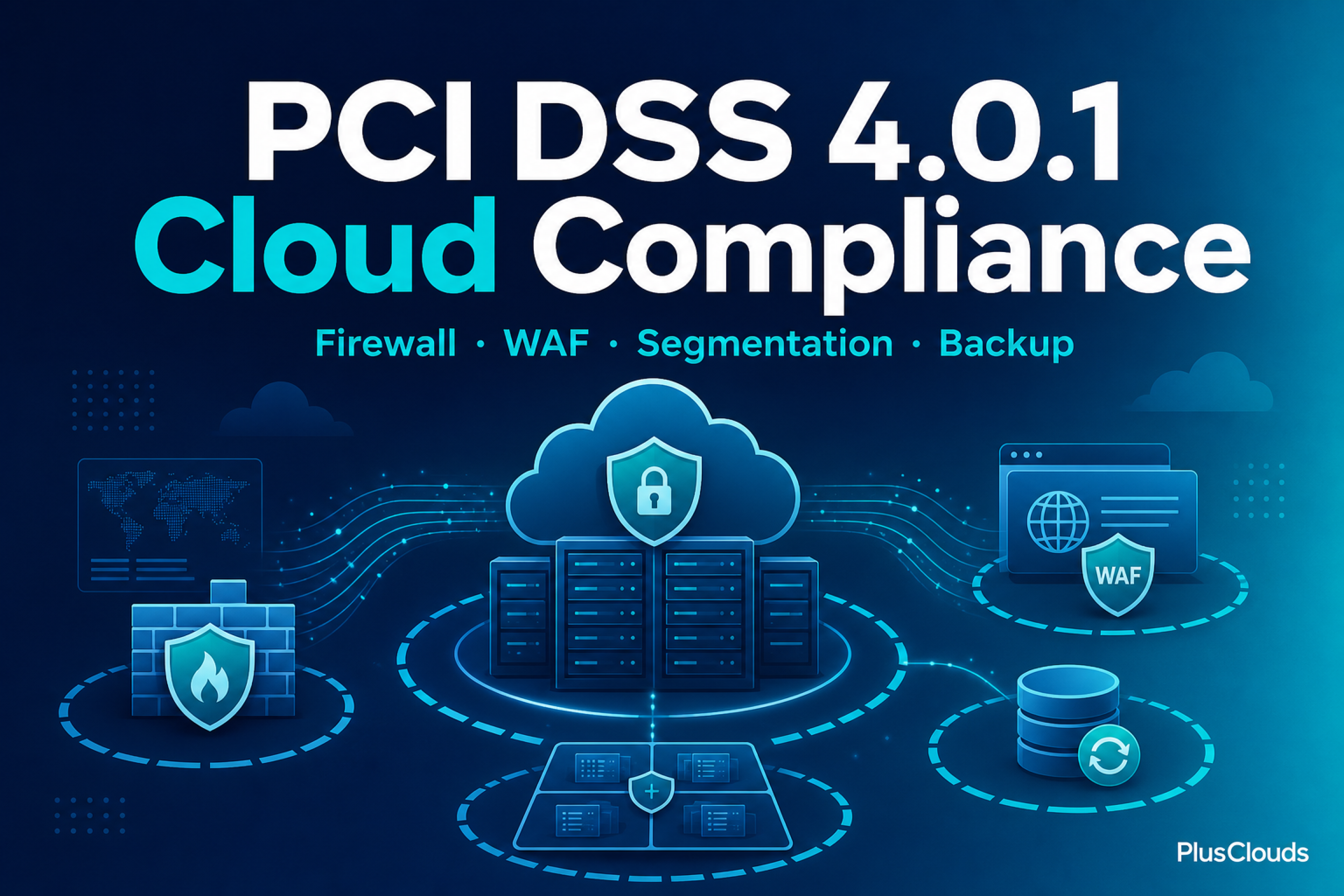
Next, map your compliance constraints. If you are handling payment card data (PCI DSS), healthcare records (HIPAA), or personal data subject to GDPR, your infrastructure choices have regulatory implications. Bare metal in a certified data center can absolutely meet these requirements, but you need to verify certifications before you sign a contract, not after.
Document your current SLAs and the monitoring that backs them. You will need this as your baseline for validating the post-migration environment. If you cannot measure it, you cannot prove you have maintained it.
Finally, identify your blast radius. If this migration goes wrong, what breaks? Which workloads are safe to migrate first because their failure is recoverable? Which ones need to be last because they are load-bearing for everything else?
Choosing the Right Bare-Metal Server Configuration for Your Workload
Hardware selection is where a lot of repatriation projects lose time. The tendency is to over-specify, buying the largest available configuration because it feels safe. This is expensive and often counterproductive.
Match the hardware profile to the workload type:
- CPU-bound workloads (web application servers, API gateways, compilers): High core count, high clock speed, large L3 cache. Modern AMD EPYC and Intel Xeon Scalable processors are particularly strong here.
- Memory-bound workloads (in-memory databases like Redis or Memcached, caching layers, JVM-based services with large heaps): Prioritize RAM capacity and memory bandwidth over raw CPU.
- Storage-bound workloads (relational and NoSQL databases with heavy I/O, logging pipelines, object storage): NVMe SSDs for latency-sensitive reads and writes, high-capacity HDDs for bulk storage.
- GPU workloads (AI training, LLM inference, rendering, HPC): Dedicated GPU nodes with high-bandwidth interconnects such as NVLink or InfiniBand. This is not a workload you want to share with anything else.
PlusClouds' bare-metal X7000 and Leo CN servers cover both ends of this spectrum. The X7000 series is purpose-built for AI training, HPC, and GPU rendering workloads, while the Dell-certified Leo CN servers handle general-purpose on-premises deployment. Choosing between them is largely a question of whether your primary constraint is GPU throughput or general compute density.
Migration Architecture: Lift-and-Shift vs. Re-Platform vs. Re-Architect
You have three broad options for how to move each workload, and the right choice depends on how much time you have and how much technical debt you want to carry forward.
Lift-and-shift means moving the workload as-is, with minimal changes. You replicate the environment on bare metal and redirect traffic. This is the fastest path and the highest-fidelity test of whether your workload actually runs better on dedicated hardware. The downside is that you carry all your existing architectural debt with you.
Re-platform means making targeted changes to take advantage of the new environment without redesigning the application. Switching from a managed database service like Amazon RDS to a self-hosted PostgreSQL or MySQL instance, replacing a cloud-native queue like Amazon SQS with a self-managed RabbitMQ or Kafka cluster, or moving from Amazon S3 to on-premises block or object storage all fall into this category. More work upfront, but you eliminate recurring managed-service fees.
Re-architect means using the migration as an opportunity to fix fundamental design problems. This is the highest-risk, highest-reward option. Do not attempt it for critical production workloads on your first repatriation project. Prove the infrastructure first, then improve the applications.
For most teams, the practical approach is lift-and-shift for the first wave of workloads, with selective re-platforming for the components where the managed-service cost is significant. Keep re-architecture work in a separate project track.
A useful migration sequence for a typical three-tier web application:
Phase 1: Provision bare-metal nodes, configure networking, set up monitoring
Phase 2: Migrate database (replica promotion pattern, not a cold move)
Phase 3: Deploy application tier to bare metal, run in parallel with cloud
Phase 4: Shift a percentage of traffic (10%, 25%, 50%, 100%) with rollback ready
Phase 5: Decommission cloud resources after 30-day observation period
Networking the Gap: Bridging Public Cloud and Bare Metal During Transition
The transition period is when networking gets complicated. You will have workloads in two places, and they need to talk to each other reliably and securely while you move things across.
The standard pattern is a site-to-site VPN between your cloud VPC and your bare-metal environment. This gives you encrypted connectivity with acceptable latency for most inter-service traffic. For higher-throughput requirements, AWS Direct Connect, Azure ExpressRoute, or GCP Cloud Interconnect provide dedicated private links, though they add cost and lead time.
During the transition, you also need to think carefully about DNS. Use low TTLs (60 seconds or less) on any records that will change during migration so that traffic shifts propagate quickly. Keep your old cloud endpoints live and healthy until you have confirmed the bare-metal equivalents are stable under real traffic.
Load balancing at the edge is another consideration. If you are running a gradual traffic shift, you need a load balancer that can split traffic between cloud and bare-metal backends with fine-grained control. PlusClouds' Networking and Load Balancers support five network types including public, private, VPN, management, and DMZ configurations, all managed from a single control plane. This makes the hybrid transition period significantly more manageable than stitching together separate tools.
Post-Migration Hardening: Security, Backups, and Monitoring on Dedicated Hardware
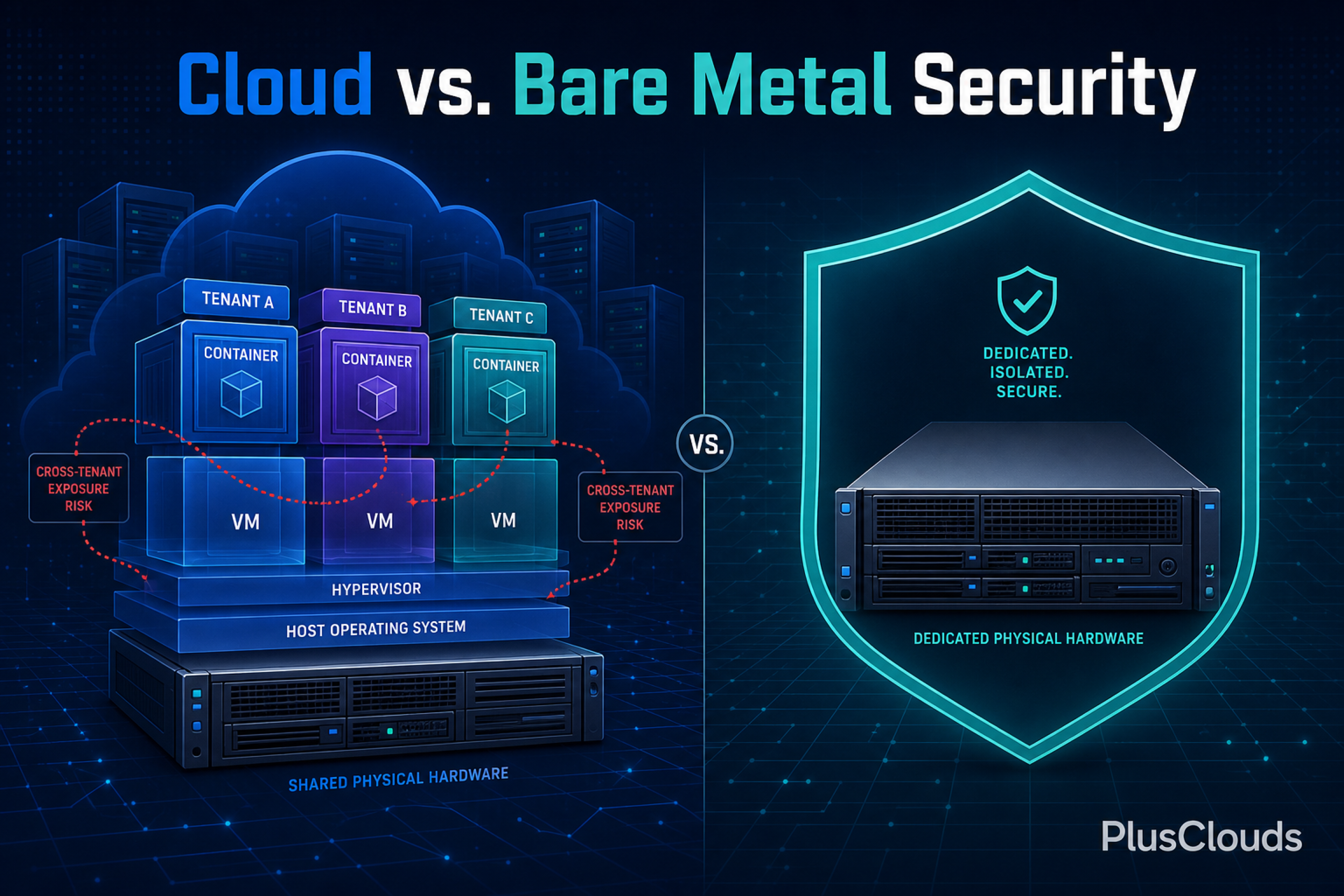
Moving to bare metal means you own more of the security stack. The hyperscaler handled a lot of this for you. Now you need to handle it yourself.
Start with your firewall configuration. Every service should have explicit ingress and egress rules. Nothing should be open by default. If you were relying on AWS Security Groups or Azure Network Security Groups, you need equivalent stateful firewall rules on your new infrastructure.
Set up intrusion detection (using tools like Wazuh, Suricata, or Falco) and log aggregation (via an ELK stack, Grafana Loki, or a similar platform) early. You want visibility into what is happening on your nodes before you route production traffic there, not after something goes wrong.
Backups deserve more attention than they usually get in migration planning. Your recovery point objective (RPO) and recovery time objective (RTO) need to be defined, tested, and documented before you cut over. PlusClouds' Automated Backup service provides automated backup and recovery with explicit RPO/RTO targets and remote restore capability. Set this up before your first workload lands on bare metal, not as an afterthought.
For storage, tiered options matter. Hot data that your application reads constantly belongs on NVMe. Warm data that you access occasionally belongs on SSD. Cold data (logs, archives, compliance records) belongs on high-capacity HDD. PlusClouds' Cloud Storage provides standards-based pooled storage across all three tiers, which means you can set this up without managing separate storage systems.
Monitoring on bare metal requires instrumenting things the cloud managed invisibly before: disk health (via S.M.A.R.T. monitoring), network interface errors, memory ECC events, and CPU temperature under sustained load. Add these hardware-level signals to your monitoring stack alongside your application-level metrics using tools like Prometheus with node_exporter, Netdata, or Datadog.
Avoiding Common Repatriation Mistakes (and How to Burst Back to the Cloud When Needed)
The most common mistake is moving too fast. Teams get excited about the cost projections, skip the audit phase, and discover mid-migration that a workload has a dependency on a cloud-native service with no obvious bare-metal equivalent. Slow down at the planning stage. Speed up at the execution stage.
The second most common mistake is decommissioning cloud resources too quickly. Keep your cloud environment running in parallel for at least 30 days after cutover. The cost of running both environments for a month is small compared to the cost of an emergency rollback at 2 AM.
The third mistake is underestimating the operational difference. In a hyperscaler, failed hardware is someone else's problem. On bare metal, it is yours. Make sure your team has documented runbooks for hardware failure scenarios (disk failure, NIC failure, node failure) before you go live. If you do not have the internal capacity to manage this, a managed bare-metal provider is worth the premium.
On the question of bursting back: keep your cloud accounts active and your infrastructure-as-code current even after you have moved. If you hit an unexpected traffic spike that exceeds your bare-metal capacity, you want to be able to spin up cloud capacity in minutes, not days. PlusClouds Cloud Servers with 60-second deployment and zero egress fees work well as a burst target, giving you elastic capacity that complements your dedicated infrastructure without locking you back into a hyperscaler's pricing model.
Also keep in mind that repatriation does not have to be all-or-nothing. Many teams end up with a stable hybrid: predictable, high-utilization workloads on bare metal, and a smaller cloud footprint reserved for genuine elasticity needs. That is not a failed repatriation. That is a rational infrastructure strategy.
Cloud repatriation is not a retreat from modern infrastructure thinking. It is the application of modern infrastructure thinking to a problem that has gotten more expensive than it needs to be. The hyperscalers built extraordinary platforms, and for the right workloads they remain the right answer. But for the workloads that run continuously at high utilization, the economics of dedicated hardware have become too compelling to ignore.
If you are ready to start mapping your workloads and building your business case, PlusClouds' bare-metal X7000 and Leo CN servers, combined with the networking, storage, and backup infrastructure to support a full production environment, are worth a close look. Talk to the team about your specific workload profile and get a TCO comparison built around your actual numbers, not industry averages.